BUILT BY ARTPARK @ IIScFUNDED BY GOVERNMENT OF KARNATAKA
AI agent evaluation for non‑profits
Adding AI to your product is easy. Answering whether it works is hard. Calibrate gives you a simple and repeatable way to find errors, so you can deploy changes confidently without breaking what already works.
Why AI evaluation is broken today
As AI becomes more capable, the risks of misuse and harm increase too. More teams are using AI, but often without the checks needed to deploy it responsibly.
Why AI fails and why it matters
Unpredictable responses for the same input
AI systems make educated guesses. For the same input, the guess can change every time, leaving room for errors.
Weakest in the language your users speak
These models are trained on data from the internet, dominated by a few languages. Quality degrades in languages with lesser online presence.
The AI does not know your context
AI follows the patterns in its training data, which may not hold for your use case. It also does not have access to your guidelines and may contradict them, producing unsafe responses.
Instructions ignored, or wrong to start with
Your instructions might be incomplete or incorrect, or the model may not be powerful enough to follow them correctly.
Mistakes impact real lives
Non-profits operate in sensitive domains, like health, education and agriculture, where a wrong answer can leave lasting damage.
Why teams fail to catch it
Manual verification does not scale
Someone verifies a few responses before deploying changes. That barely works for a pilot, but does not create a reliable product for real users as new changes cause unexpected errors.
Evaluation falls on engineers who do not know your domain
Engineers cannot evaluate response quality whereas the domain experts are either left out of the work or experience friction in collaboration.
The tools that exist are not made for non-profits
Existing AI evaluation tools are too hard to use for non-technical stakeholders, too costly, or simply do not address the real evaluation gaps.
What good AI evaluation looks like
Every failure in one place
Not in someone's head or spread across spreadsheets. One list of all failure modes that grows each time you find something new.
Release changes without breaking what worked
Every failure mode is checked against what already worked before to ensure new changes do not break existing functionality.
Domain experts take the lead
Calibrate is built for non-technical domain experts to own AI evals without taking up engineering bandwidth.
The evaluation effort does not scale with usage
Calibrate plugs into your AI tools to continuously analyse errors, identify patterns and suggest improvements, so your workload does not grow with scale.
Catch failures before users do
Calibrate helps you monitor your AI quality live, proactively catching errors before waiting for users to report them.
Focus on improvement
Your team inspects the errors, talks to users and improves the AI quality instead of building the evaluation setup around it.
Trusted by mission-driven teams
How non-profits use Calibrate to build AI products responsibly

Kabakoo
What they do
AI-powered WhatsApp mentoring enabling West African youth to develop the mindset and the skills to create productive livelihoods
Use case
- Evaluating the quality and reliability of the Mentor AI responses
- Empowering non-engineers and domain experts to build and run evals
- Validating changes before deploying them at scale
“Thanks to a tool like Calibrate, Content and Learning colleagues can write test cases. AI evaluation is not a private language reserved for engineers.”Read the story

Noora Health
What they do
AI copilot for nurses to respond to caregiver questions
Use case
- Align LLM judges with experts for continuously monitoring AI response quality
- Creating structured tests to evaluate all AI modules and preventing regressions when deploying changes
- Evaluating TTS model outputs across different languages
- Running human labelling workshops with experts to gather evidence on user agency
“Calibrate was intuitive to use by an old professor who has trouble navigating Zoom.”

ARMMAN
What they do
Voice agents to help mothers fill forms for maternal health programs
Use case
- Evaluating the data extraction and response generation quality of LLMs
- Finding the best LLM and speech-to-text models with the best cost, quality and latency tradeoff
- Aligning LLM judges to humans to enable continuous monitoring of the agent's performance

Raising The Village
What they do
AI coach that generates tailored coaching messages for field agents supporting smallholder farmers in rural Uganda
Use case
- Using an LLM judge to check that every part of a coaching message is grounded in the program guidelines
- Benchmarking different LLMs on coaching message quality to find the best tradeoff across accuracy and cost
- Collecting feedback from expert field agents, identifying and resolving disagreements, and aligning LLM judges to the experts
Evaluate the quality
of your AI responses
Create structured tests that mimic how users talk to your agent and define the success criteria
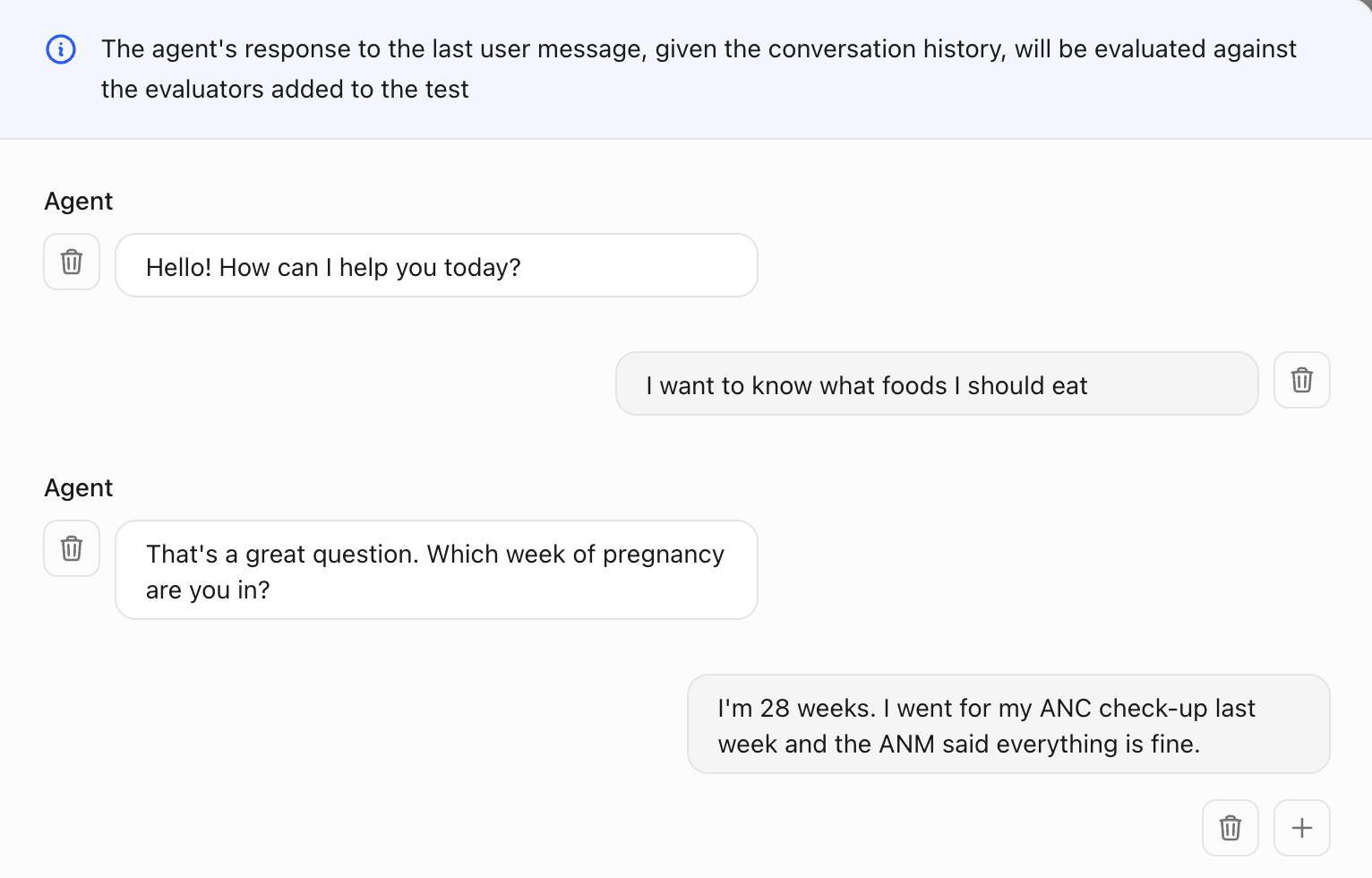
Add the conversation history that the agent receives as input for each test
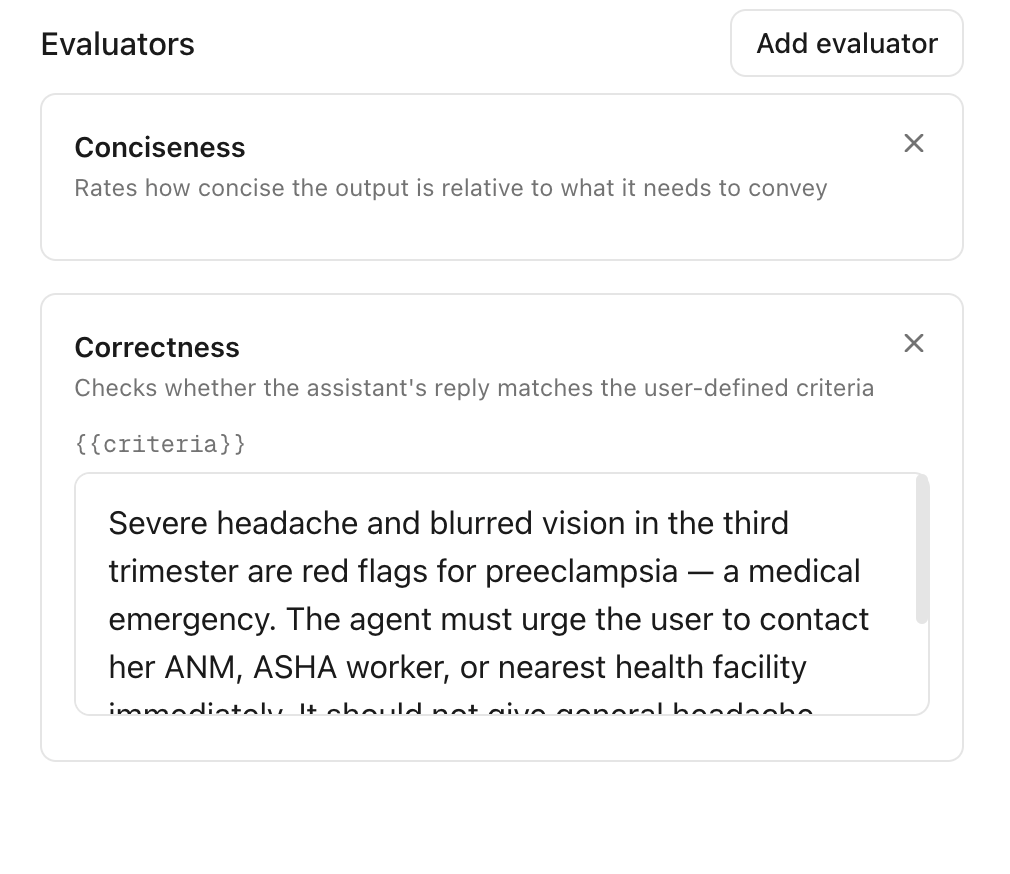
Define the success criteria to evaluate the agent's response given the conversation history
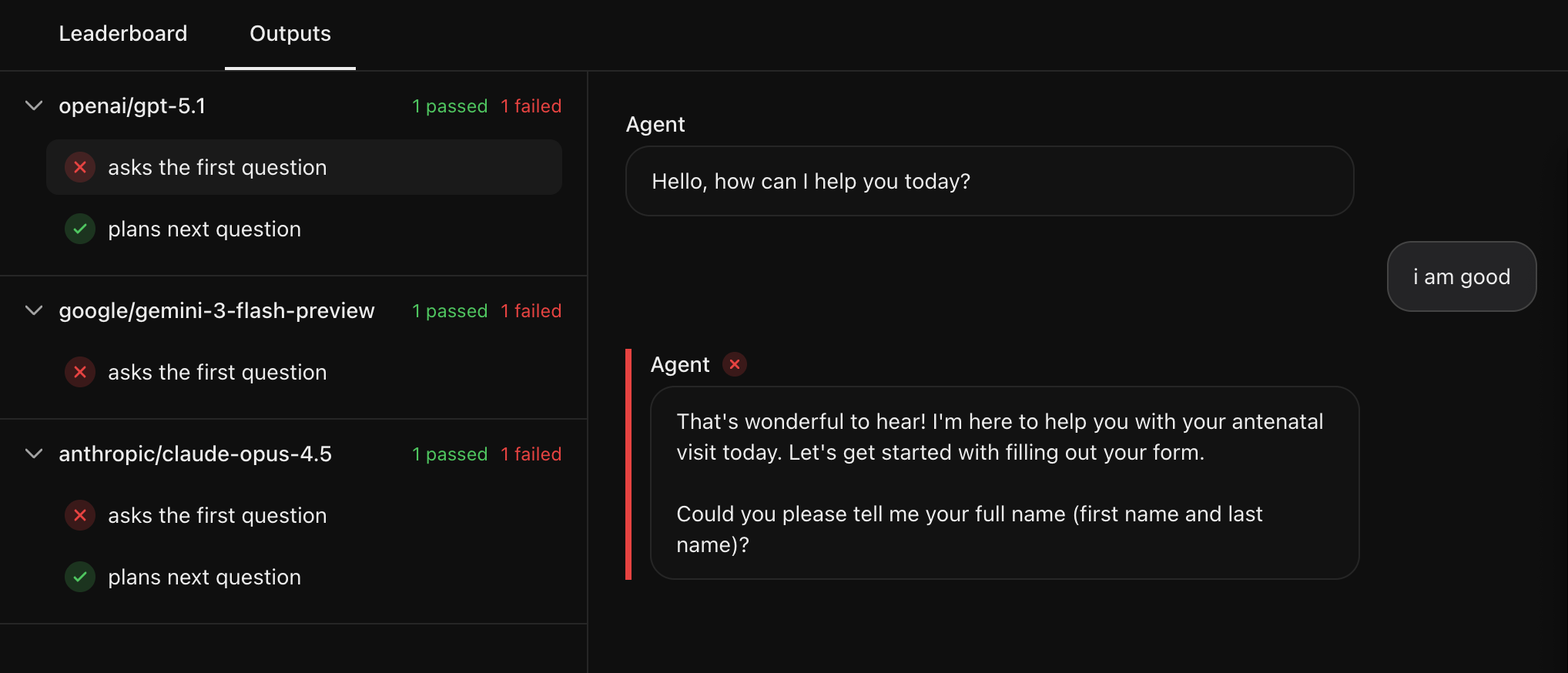
Run the testA powerful LLM evaluates whether the agent's response matches your success criteria
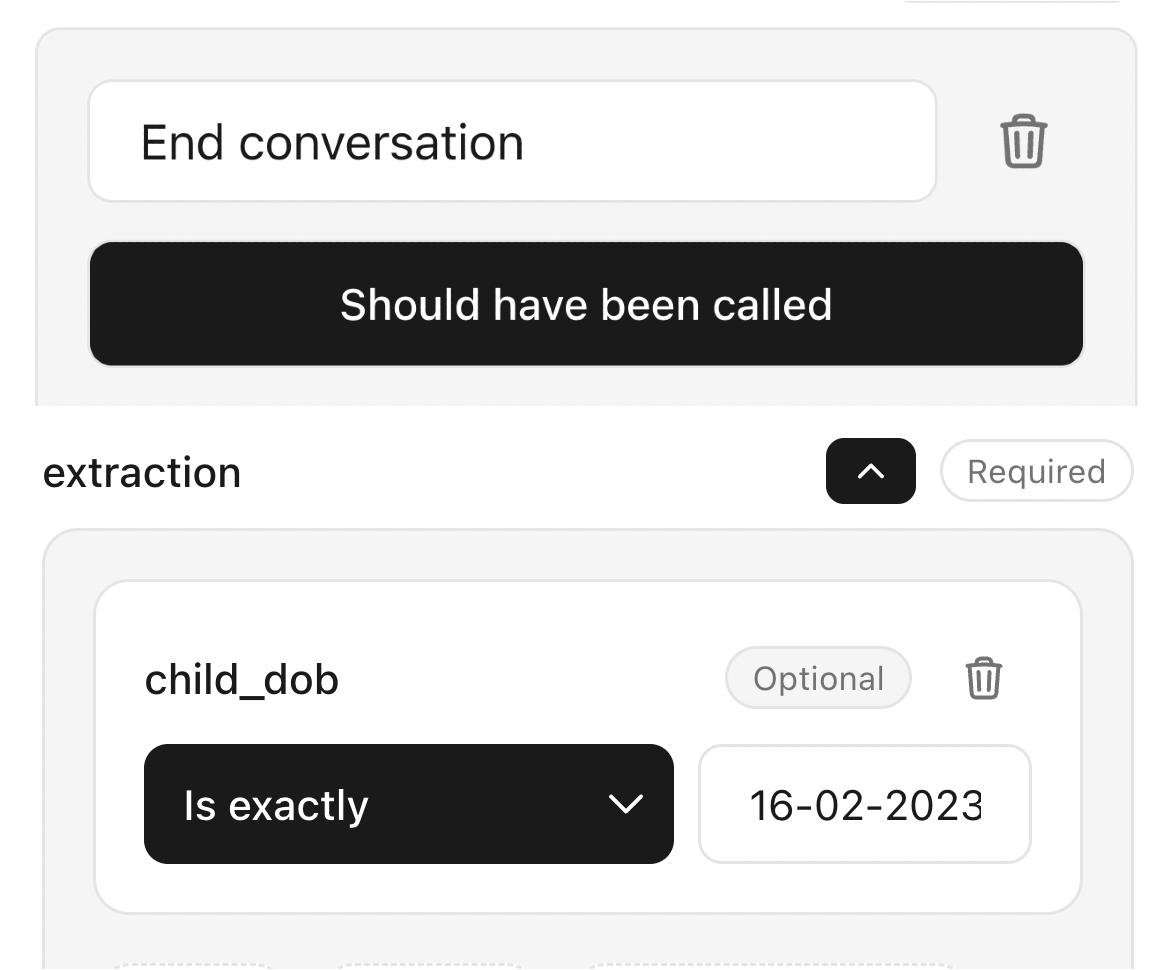
Evaluate the tools your agent called or any data it extracted
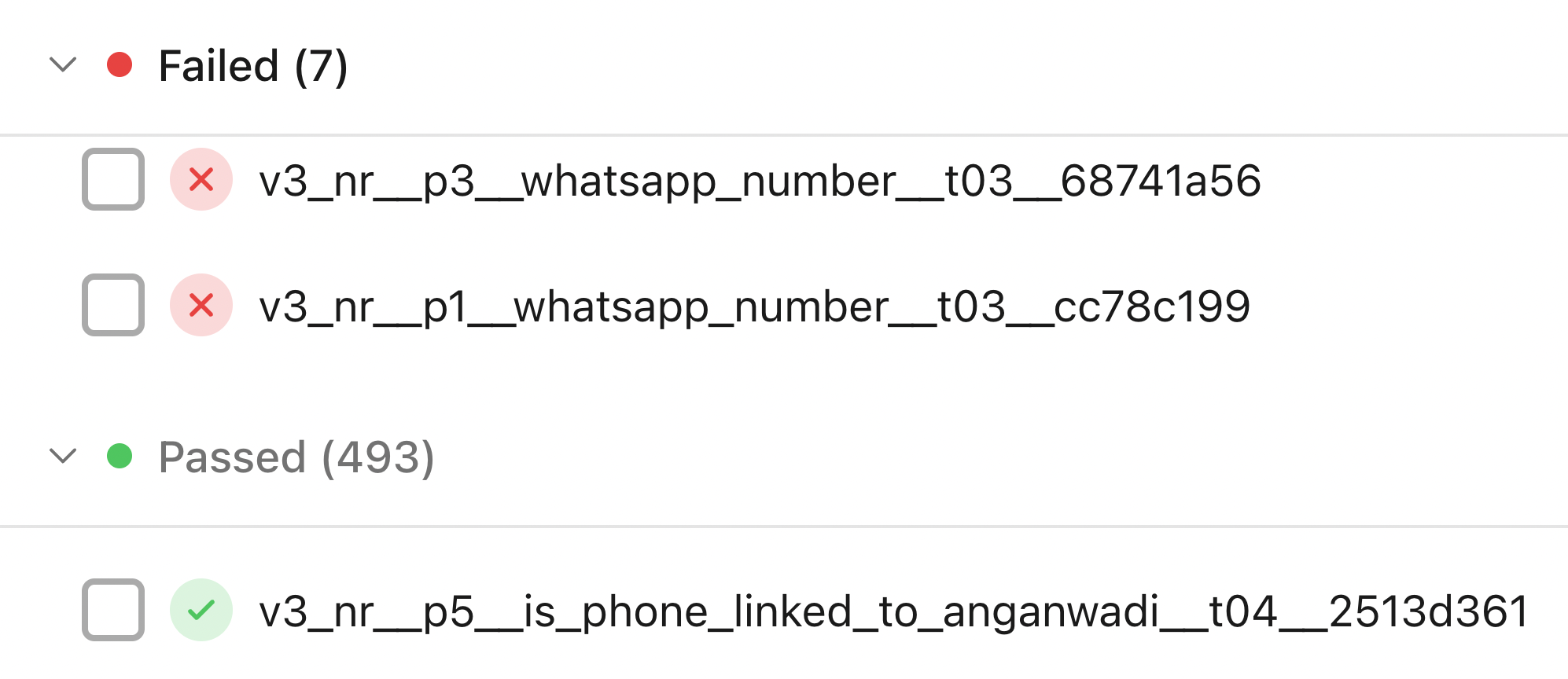
Grow the tests to keep a history of every failure mode for your agent
Find the best LLM
for your agent
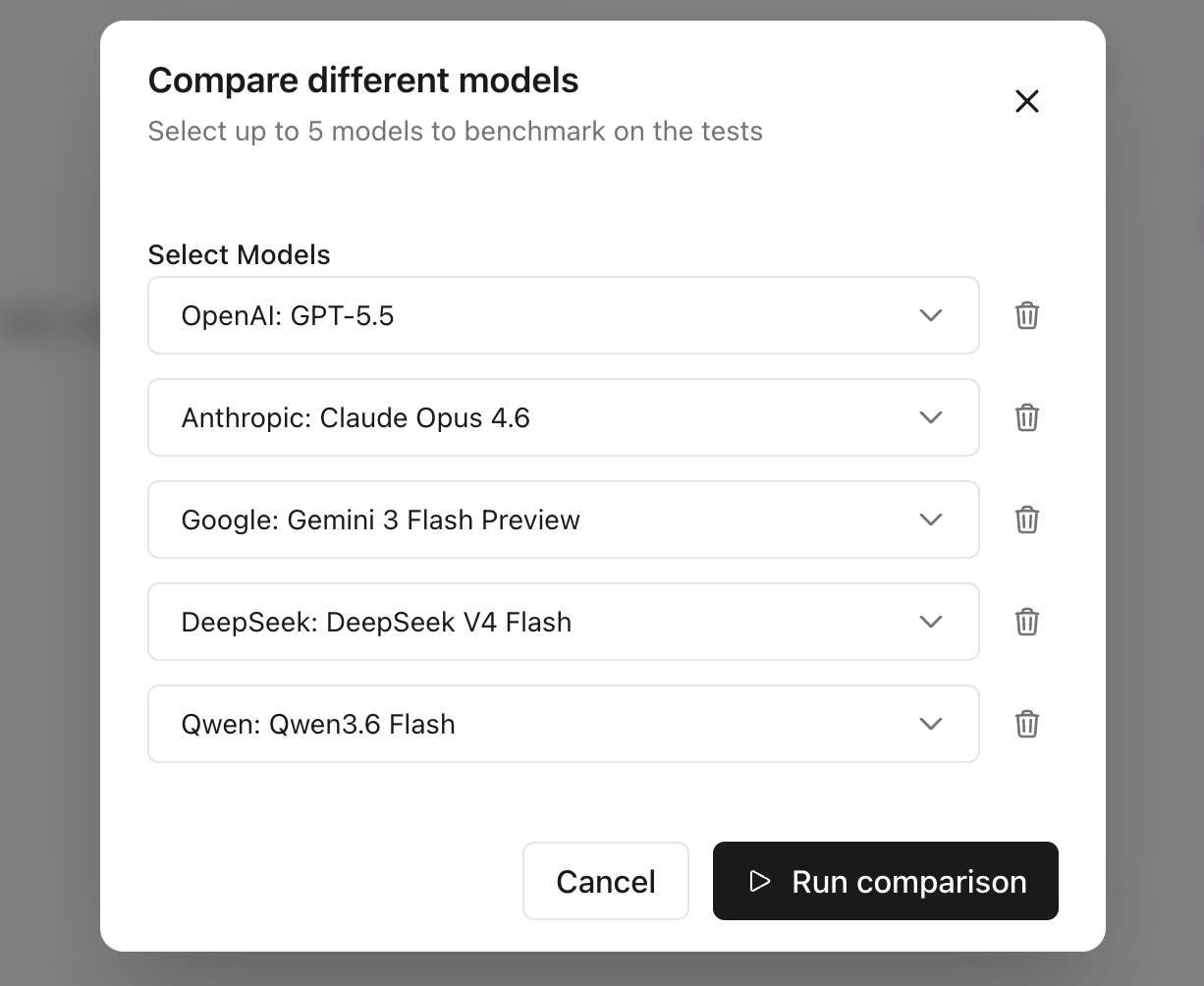
Compare different models to find the best fit across quality, latency and cost
Select the models you want to compare
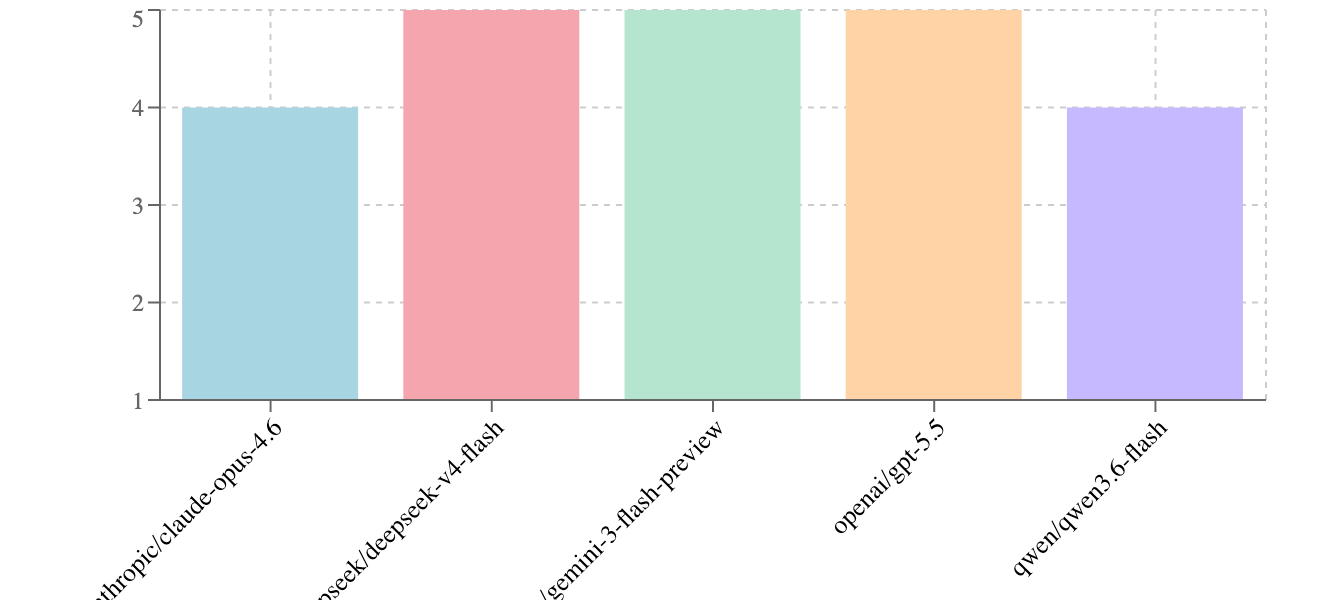
Get the leaderboard across the models
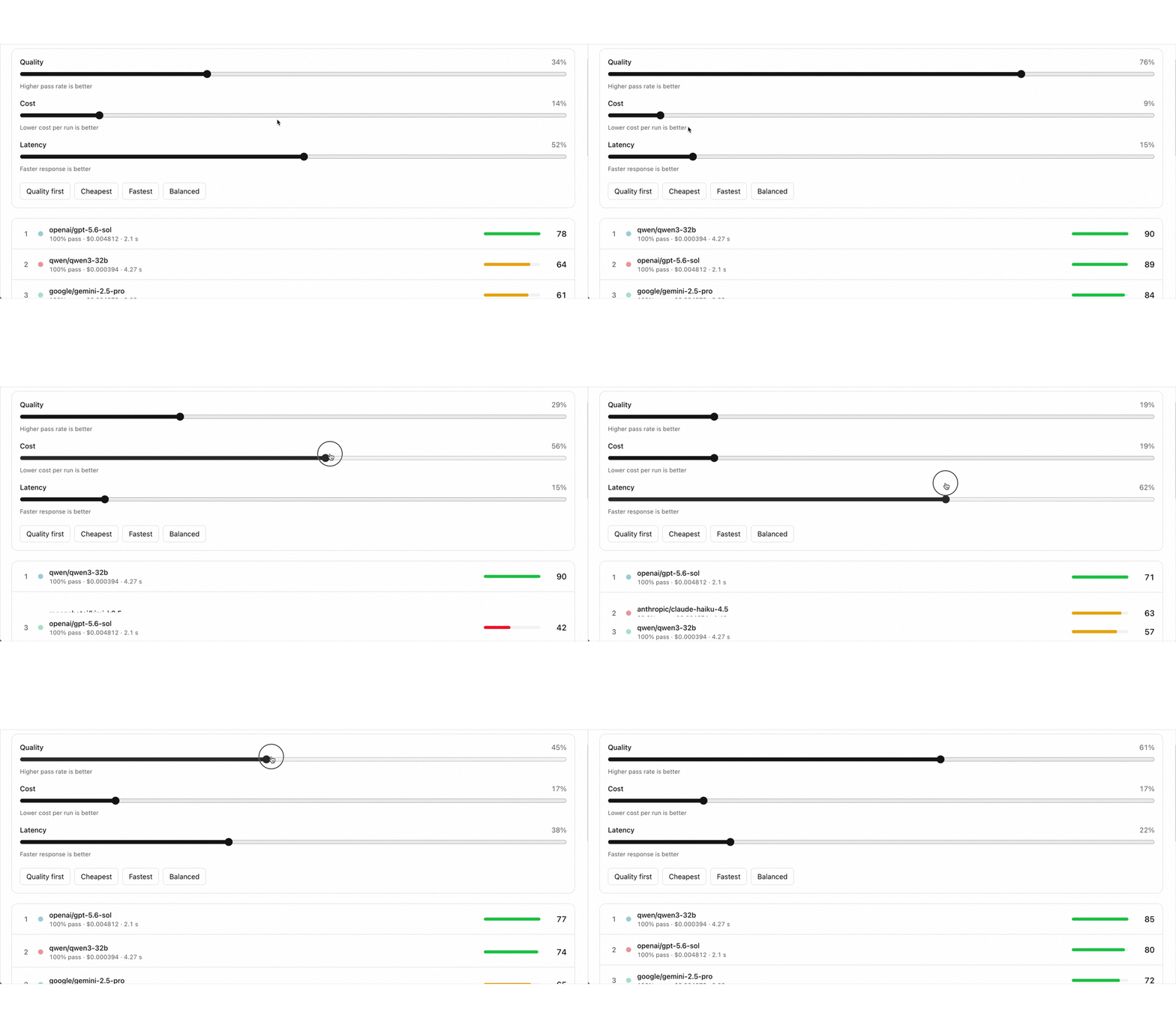
Find the best tradeoff by balancing latency, cost and quality
Evaluate the quality
of your AI responses
Create structured tests that mimic how users talk to your agent and define the success criteria
Add the conversation history that the agent receives as input for each test
Define the success criteria to evaluate the agent's response given the conversation history
Run the testA powerful LLM evaluates whether the agent's response matches your success criteria
Evaluate the tools your agent called or any data it extracted
Grow the tests to keep a history of every failure mode for your agent
Find the best LLM
for your agent
Compare different models to find the best fit across quality, latency and cost
Select the models you want to compare
Get the leaderboard across the models
Find the best tradeoff by balancing latency, cost and quality
Align LLM judges
with trusted experts
Calibrate uses LLMs to judge the outputs of your agents automatically. But they can make mistakes too. To trust them, you need to ensure the LLM judges are aligned with your human experts.
Create a labelling task and select the LLM judges you want to align
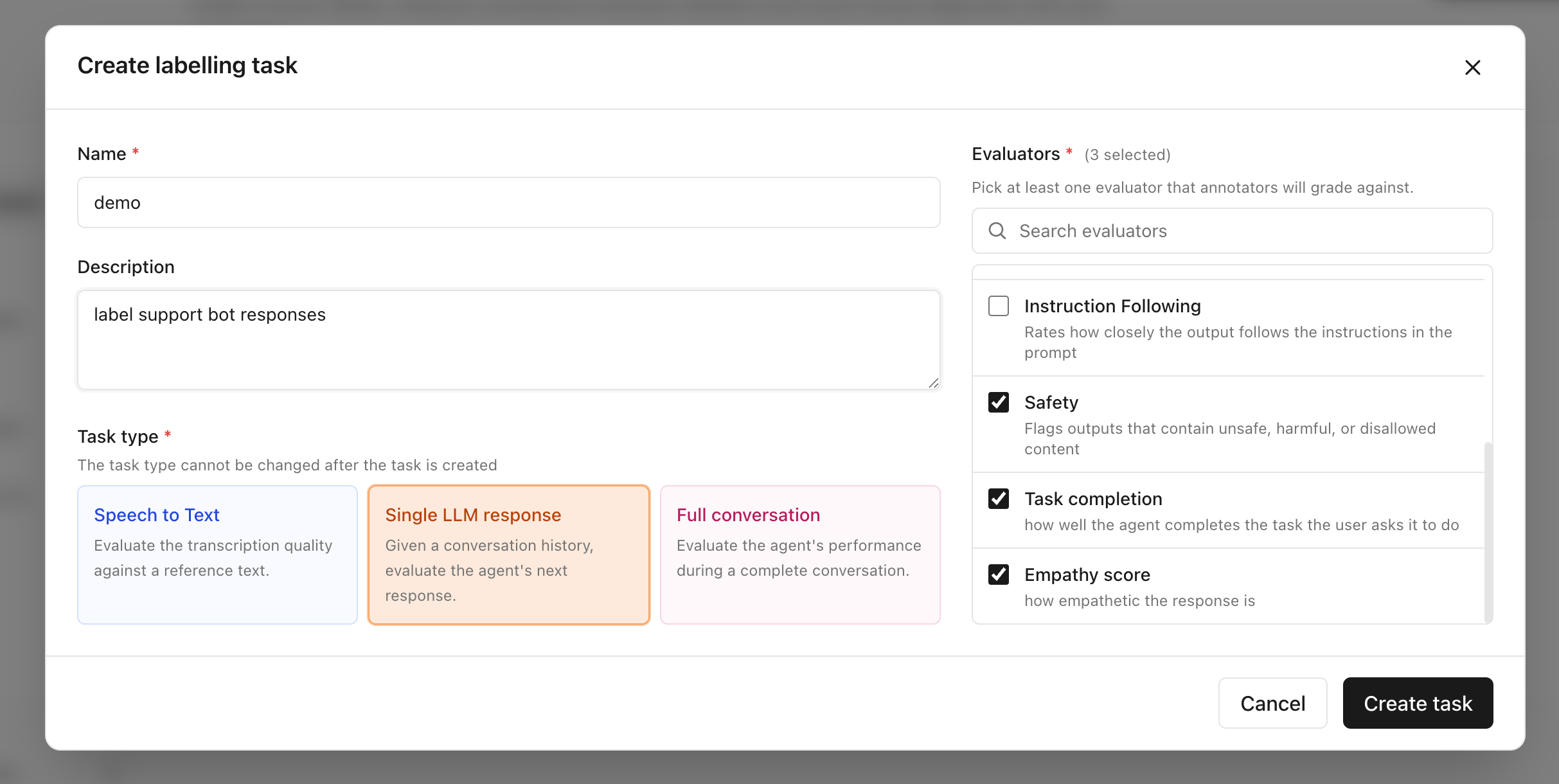
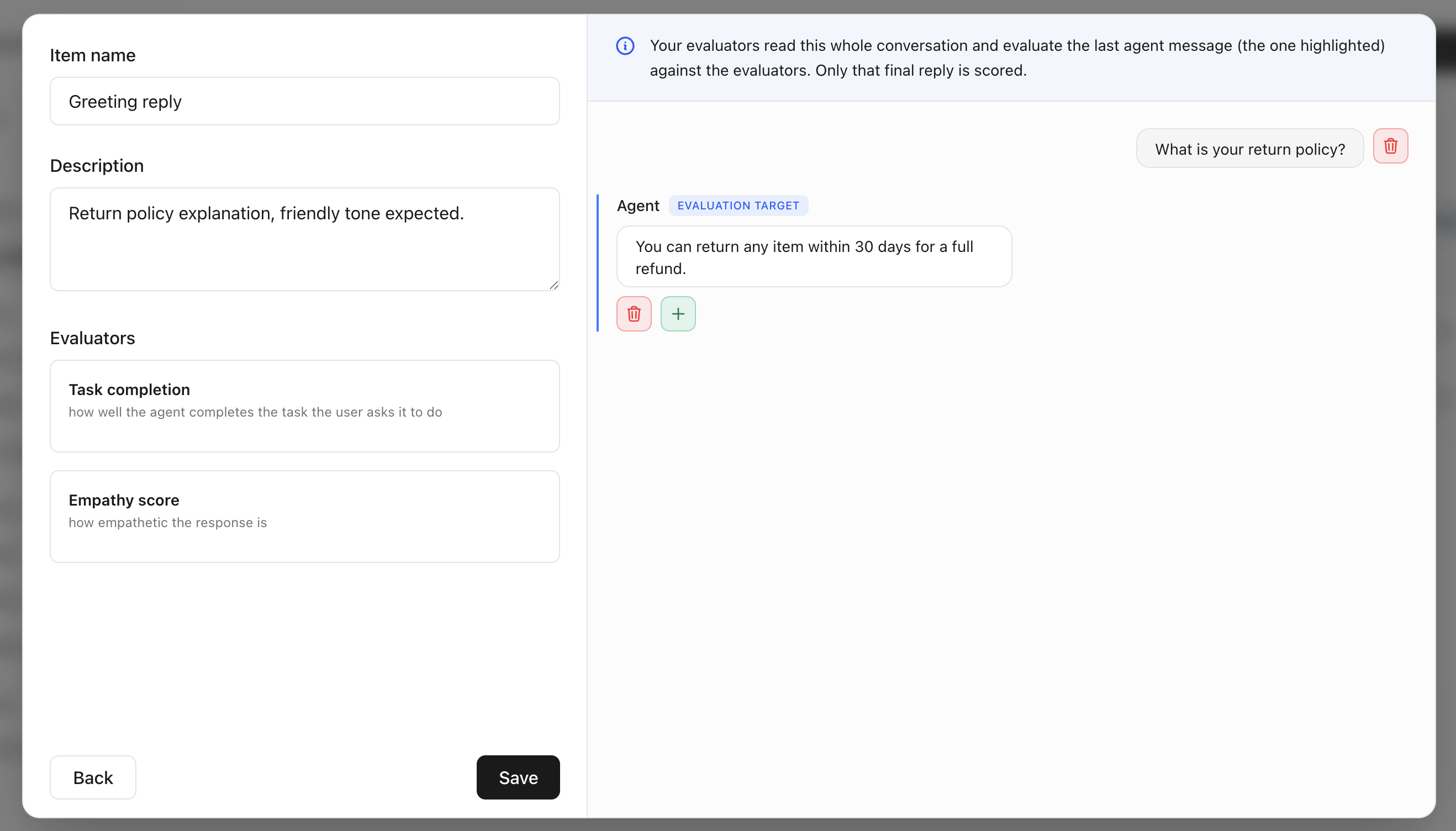
Add the samples that humans will review
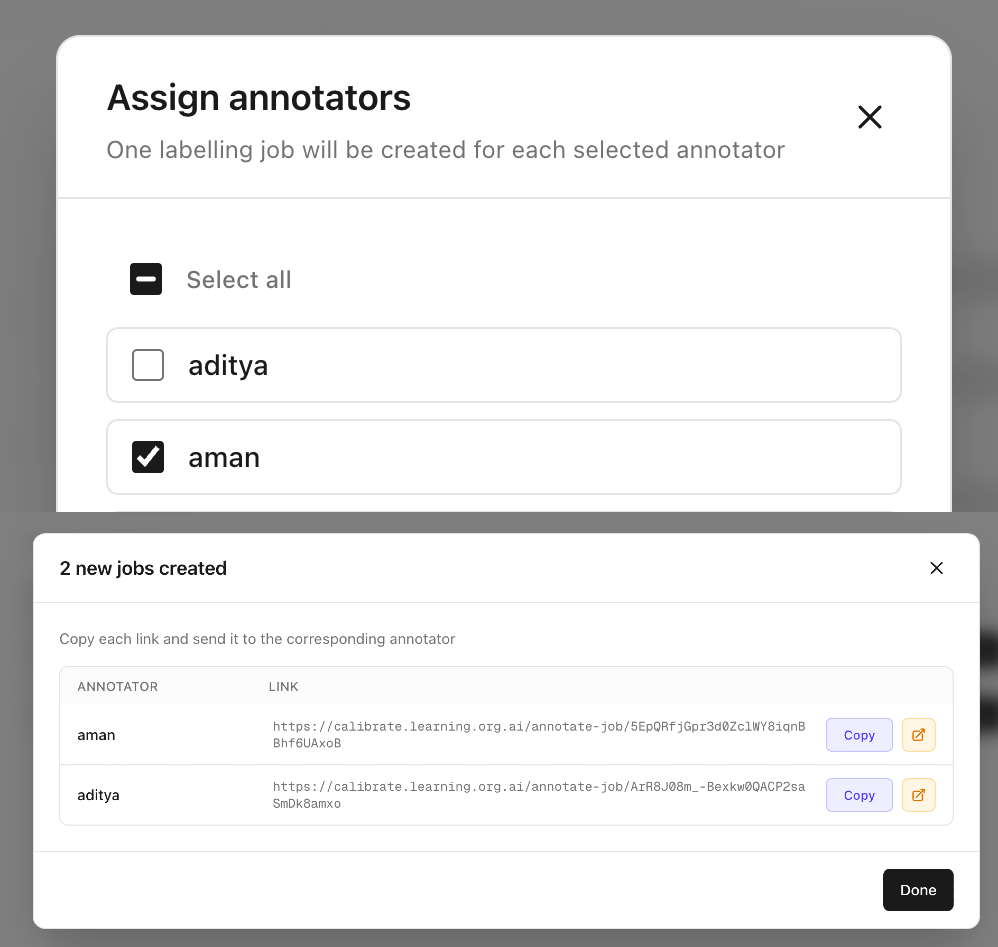
Create labelling jobs and send each reviewer the unique link assigned to them
Reviewers label samples independently one at a time. Measure consistency in their labels by sending a few common samples to all reviewers.
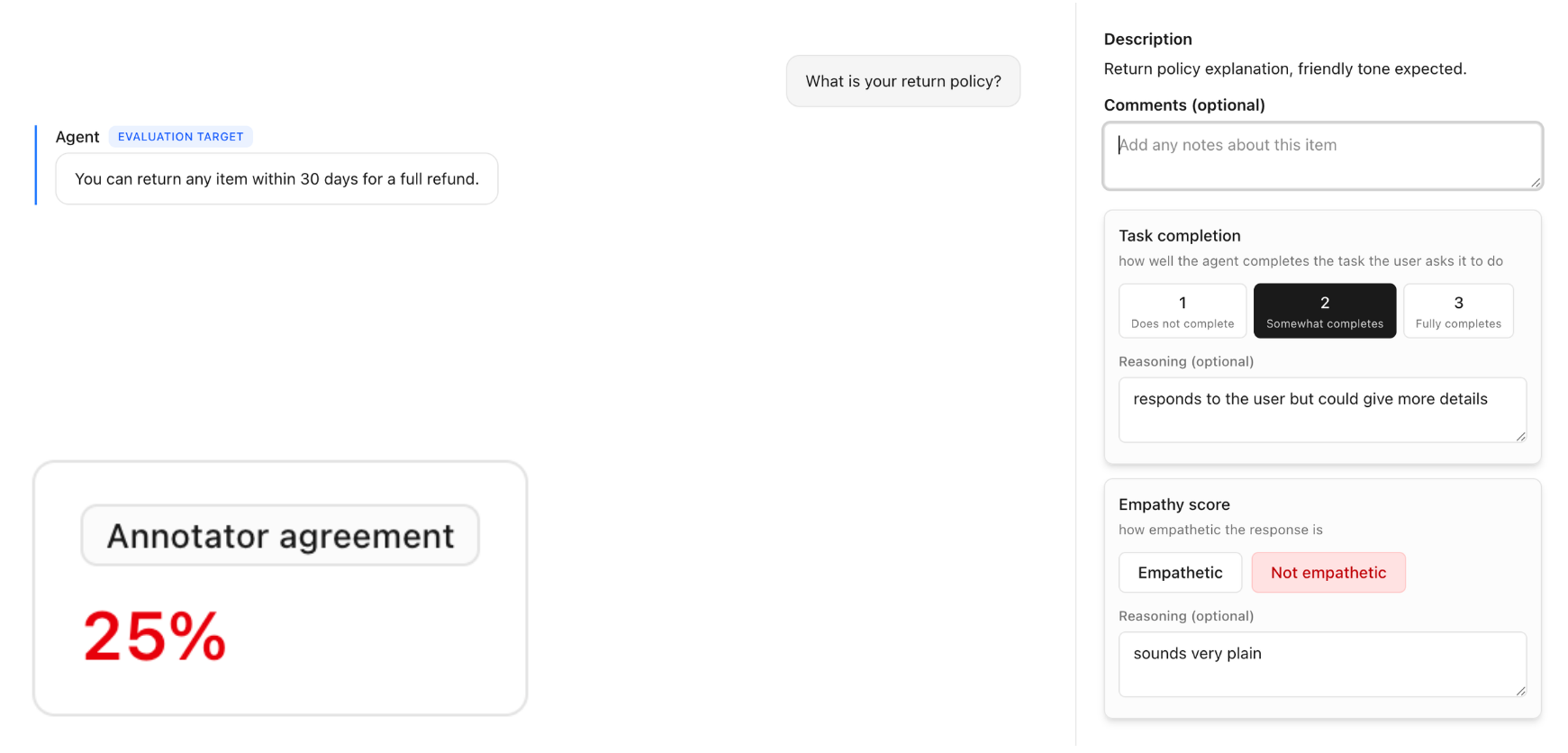
Run LLM judges on the same samples and review disagreements with human labels
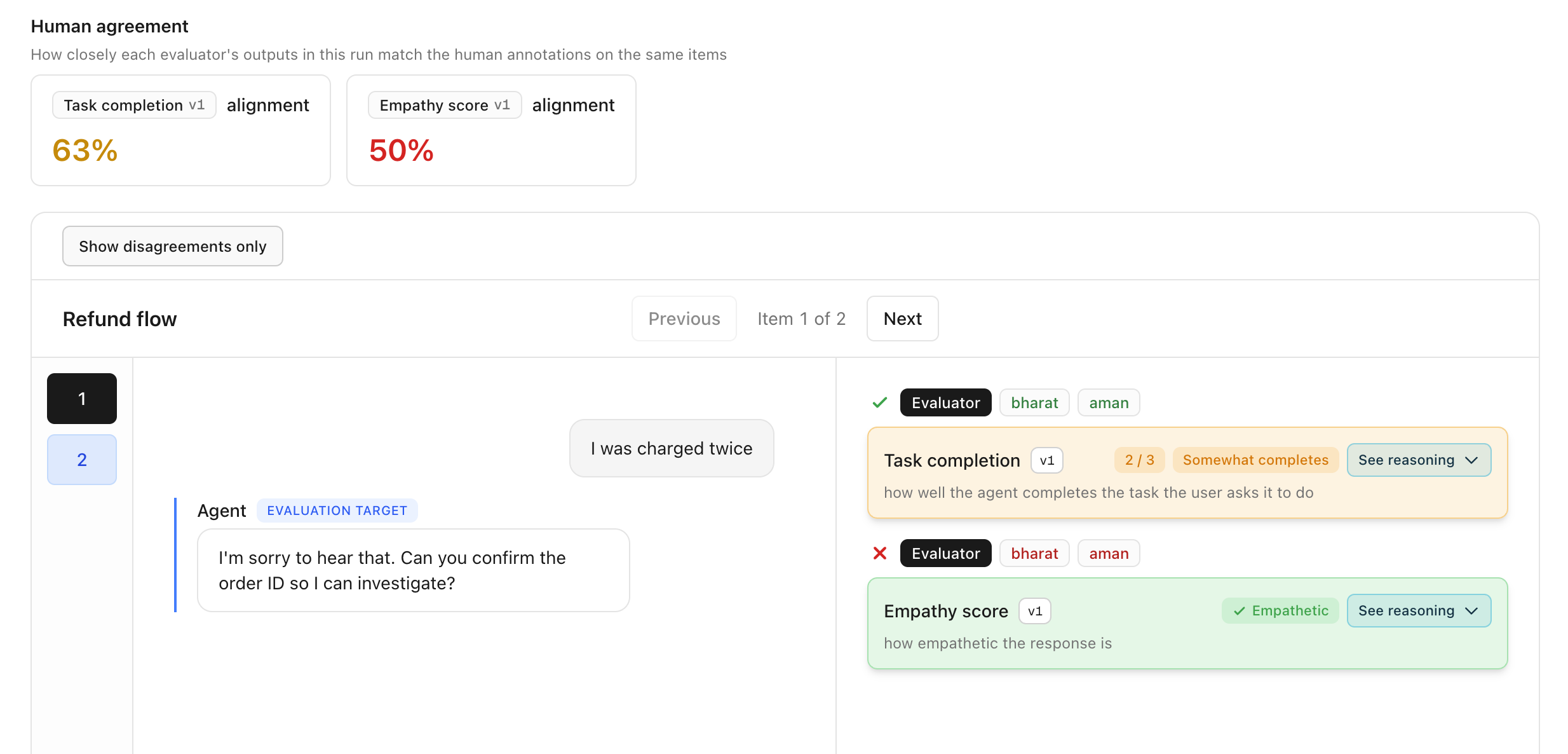
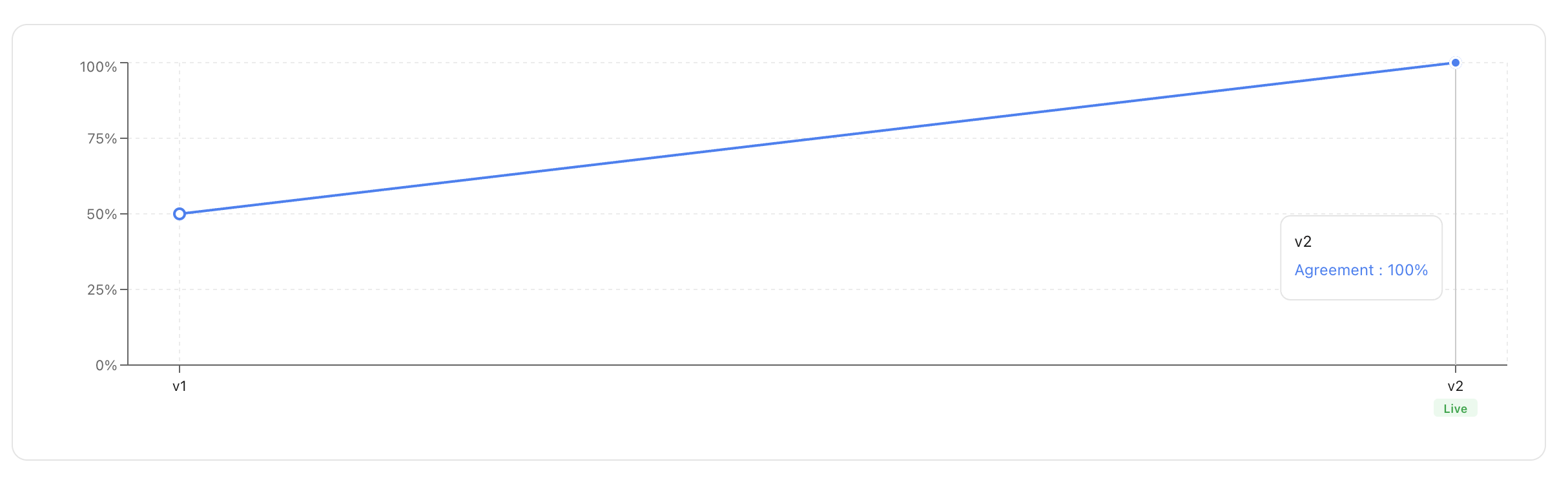
Refine the LLM judge by improving the prompt or using a better model until it agrees with your experts
Align LLM judges
with trusted experts
Calibrate uses LLMs to judge the outputs of your agents automatically. But they can make mistakes too. To trust them, you need to ensure the LLM judges are aligned with your human experts.
Create a labelling task and select the LLM judges you want to align
Add the samples that humans will review
Create labelling jobs and send each reviewer the unique link assigned to them
Reviewers label samples independently one at a time. Measure consistency in their labels by sending a few common samples to all reviewers.
Run LLM judges on the same samples and review disagreements with human labels
Refine the LLM judge by improving the prompt or using a better model until it agrees with your experts
Find the best speech‑to‑text model
for your dataset
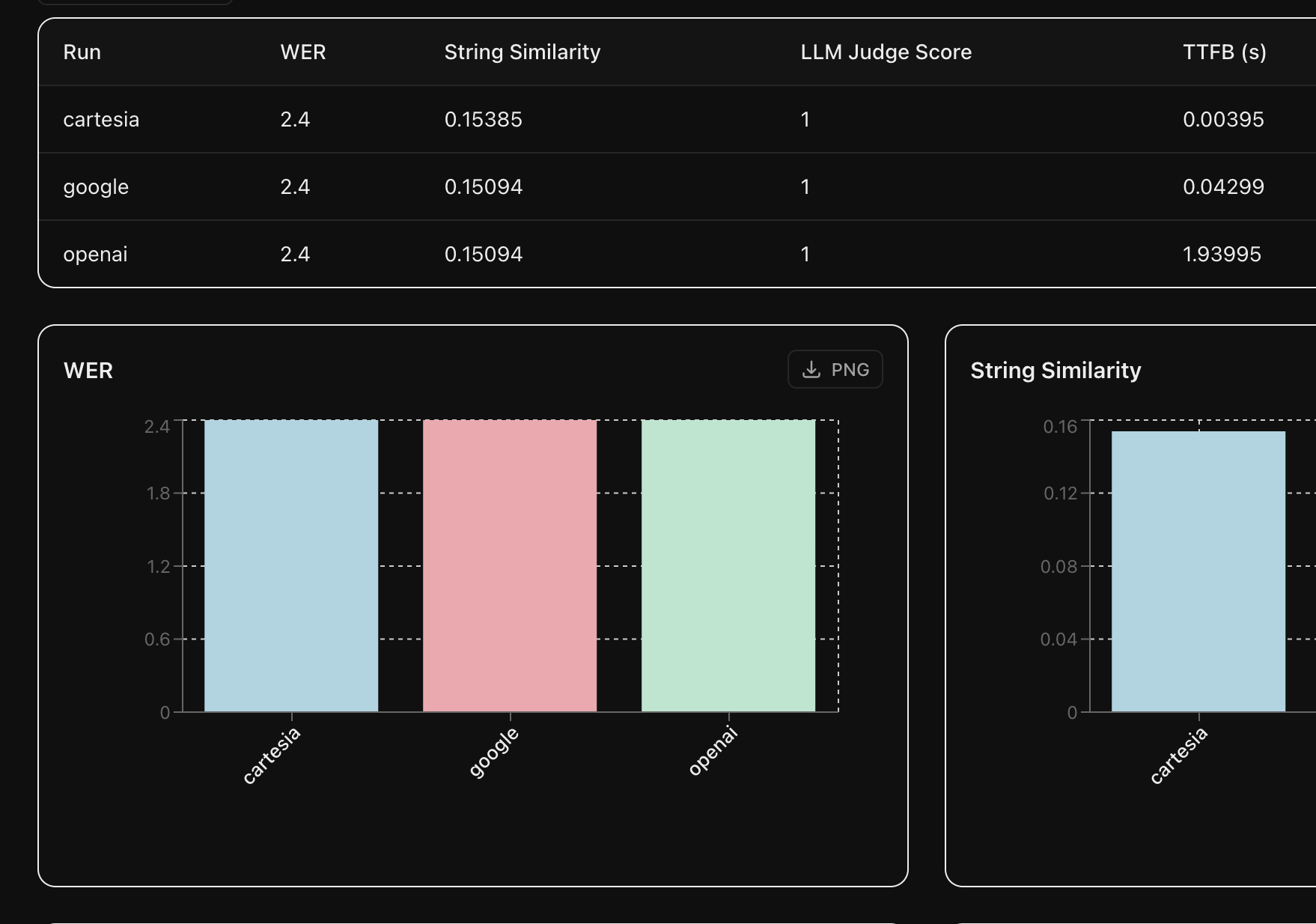
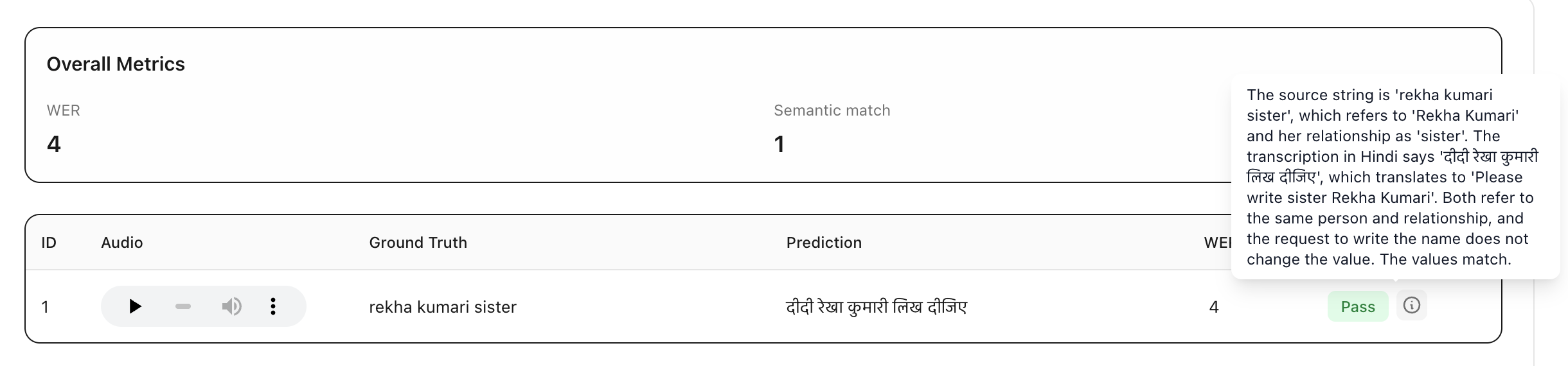
Calibrate uses LLM judges to compare the meaning of the predicted transcriptions with the references, going beyond simple rule-based metrics to rank models reliably
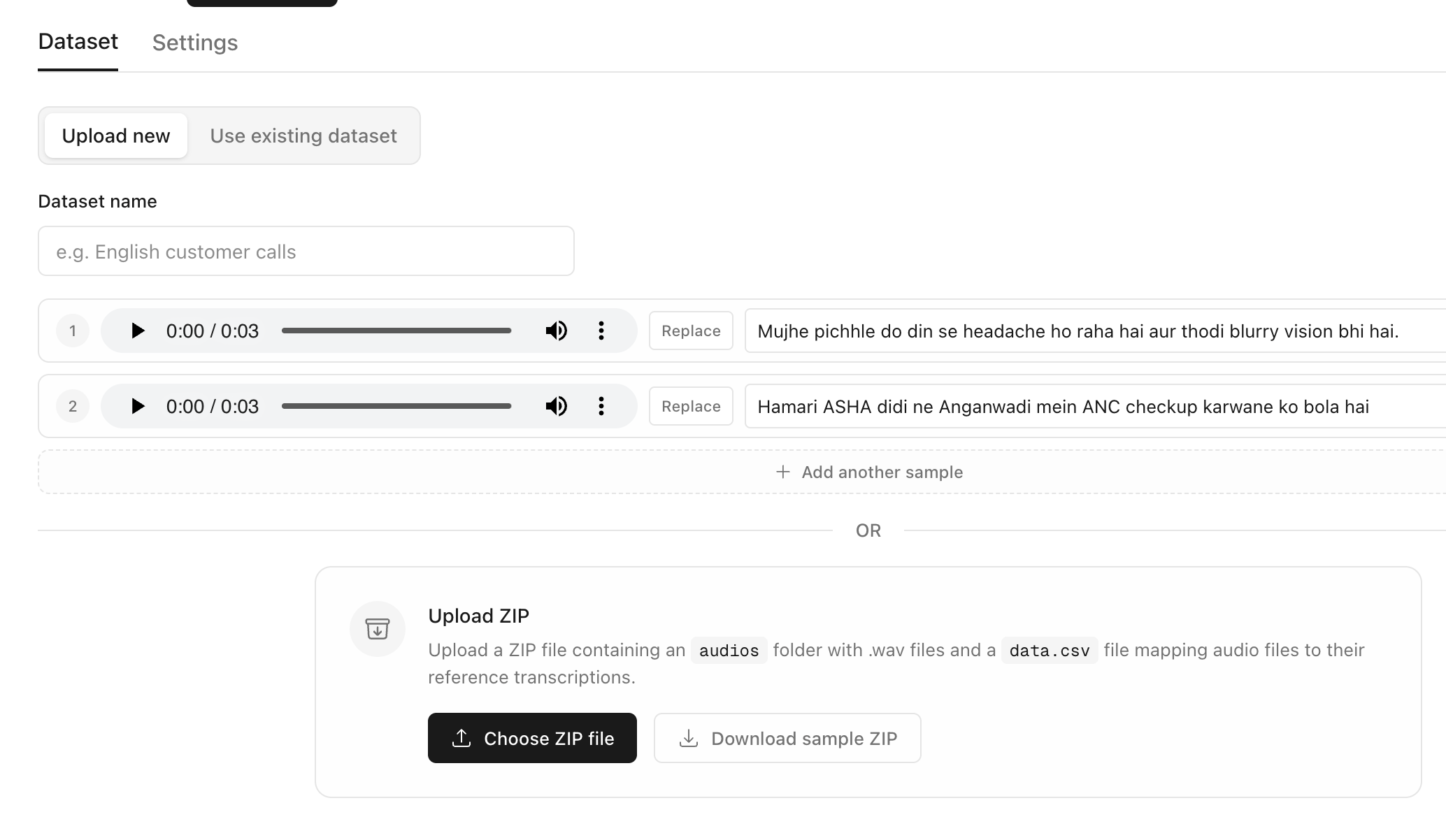
Upload your audios with reference transcripts
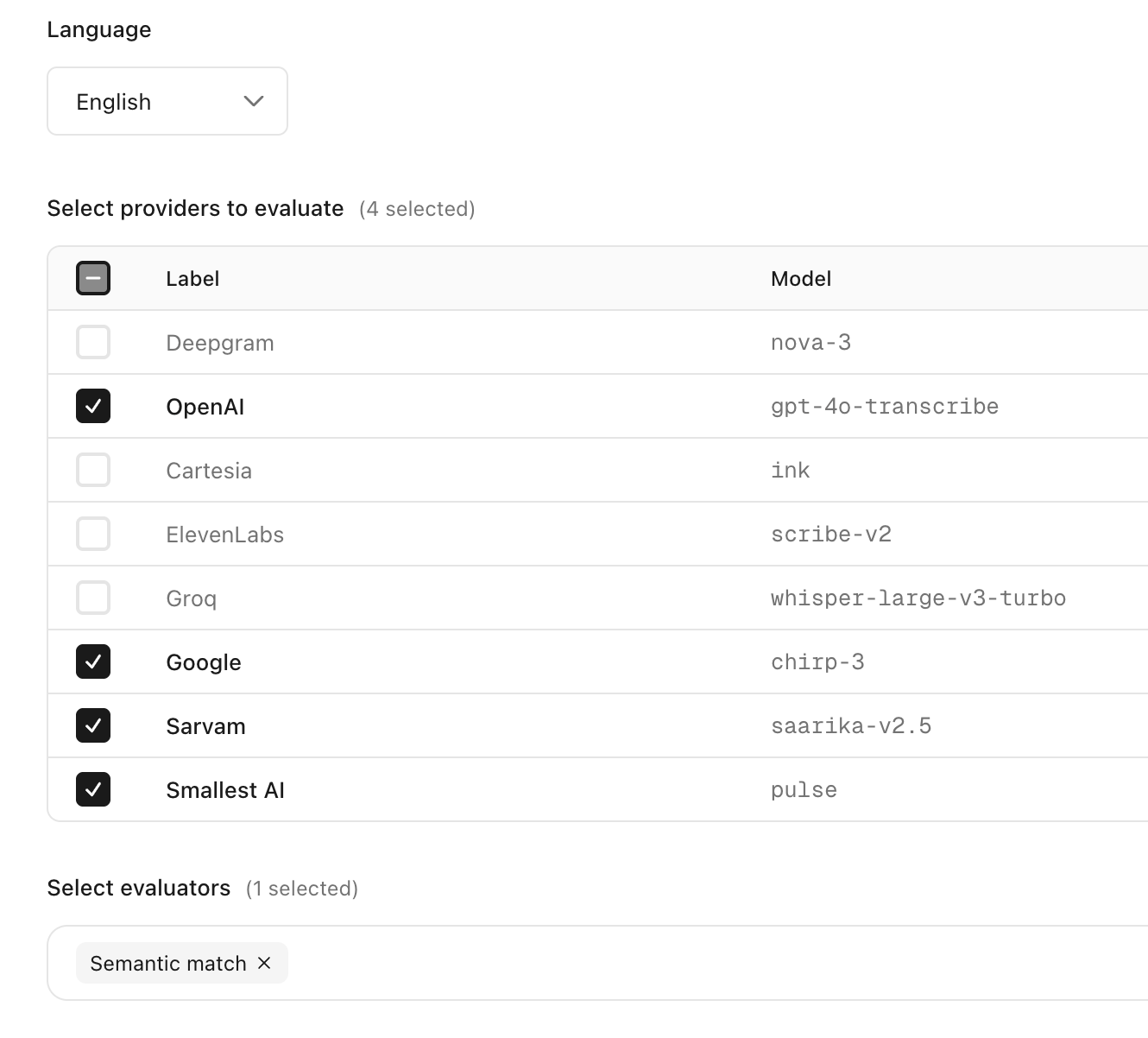
Select the models to compare for the language of your dataset
Get the leaderboard across models on cost, quality and latency
Compare predicted transcripts with the input audio or reference transcript for each model
Find the best speech‑to‑text model
for your dataset
Calibrate uses LLM judges to compare the meaning of the predicted transcriptions with the references, going beyond simple rule-based metrics to rank models reliably
Upload your audios with reference transcripts
Select the models to compare for the language of your dataset
Get the leaderboard across models on cost, quality and latency
Compare predicted transcripts with the input audio or reference transcript for each model
Select the best text-to-speech model
for your agent
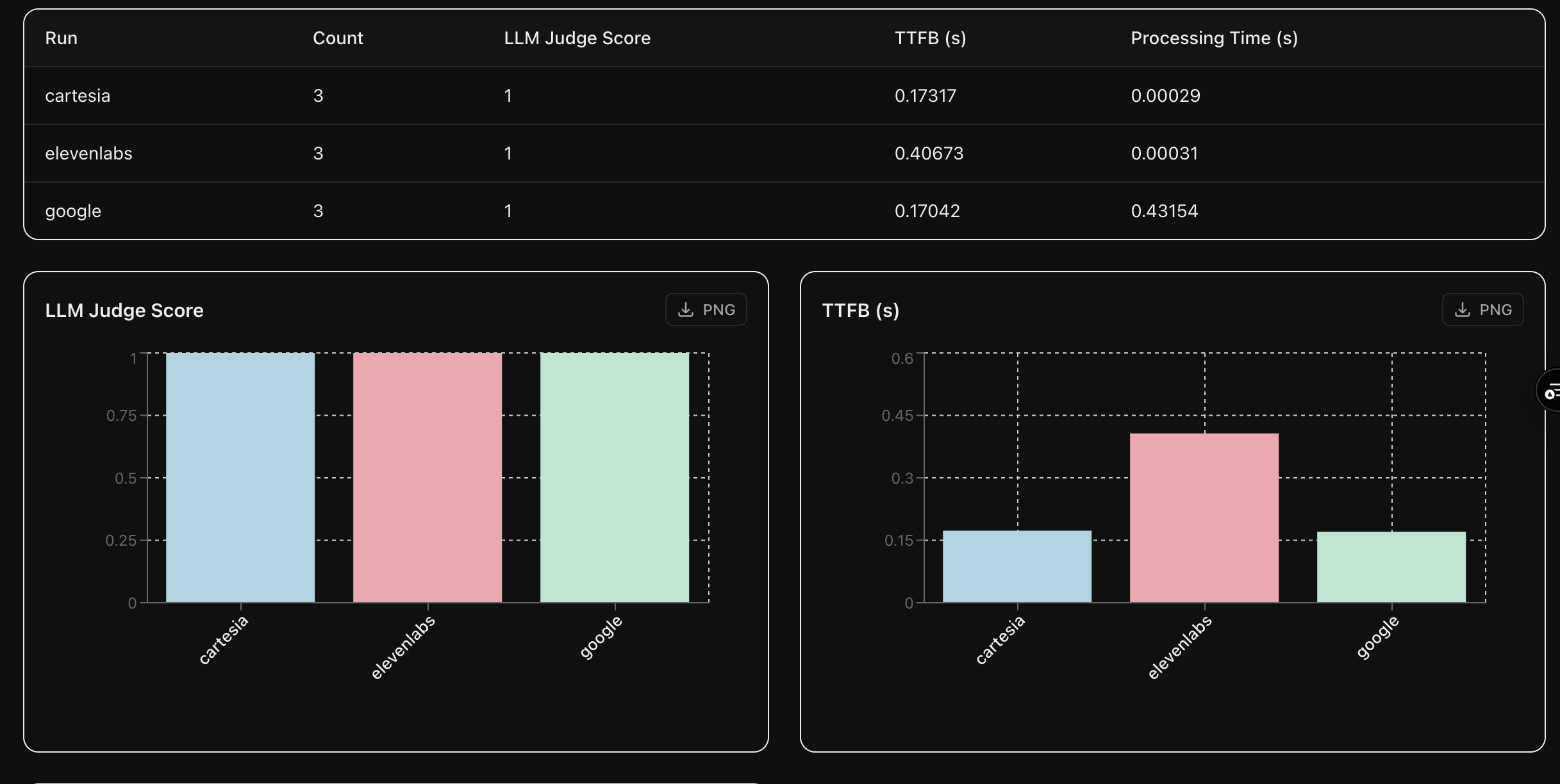
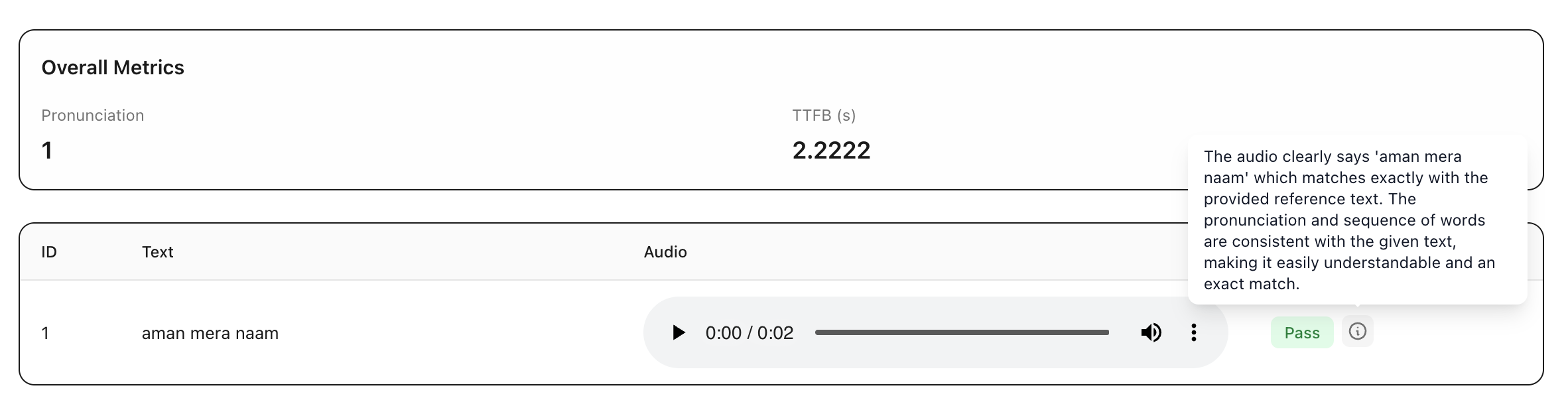
Calibrate uses AI models to automatically evaluate the generated audios on pronunciation, clarity, naturalness and more
Upload the reference texts to be spoken by each model
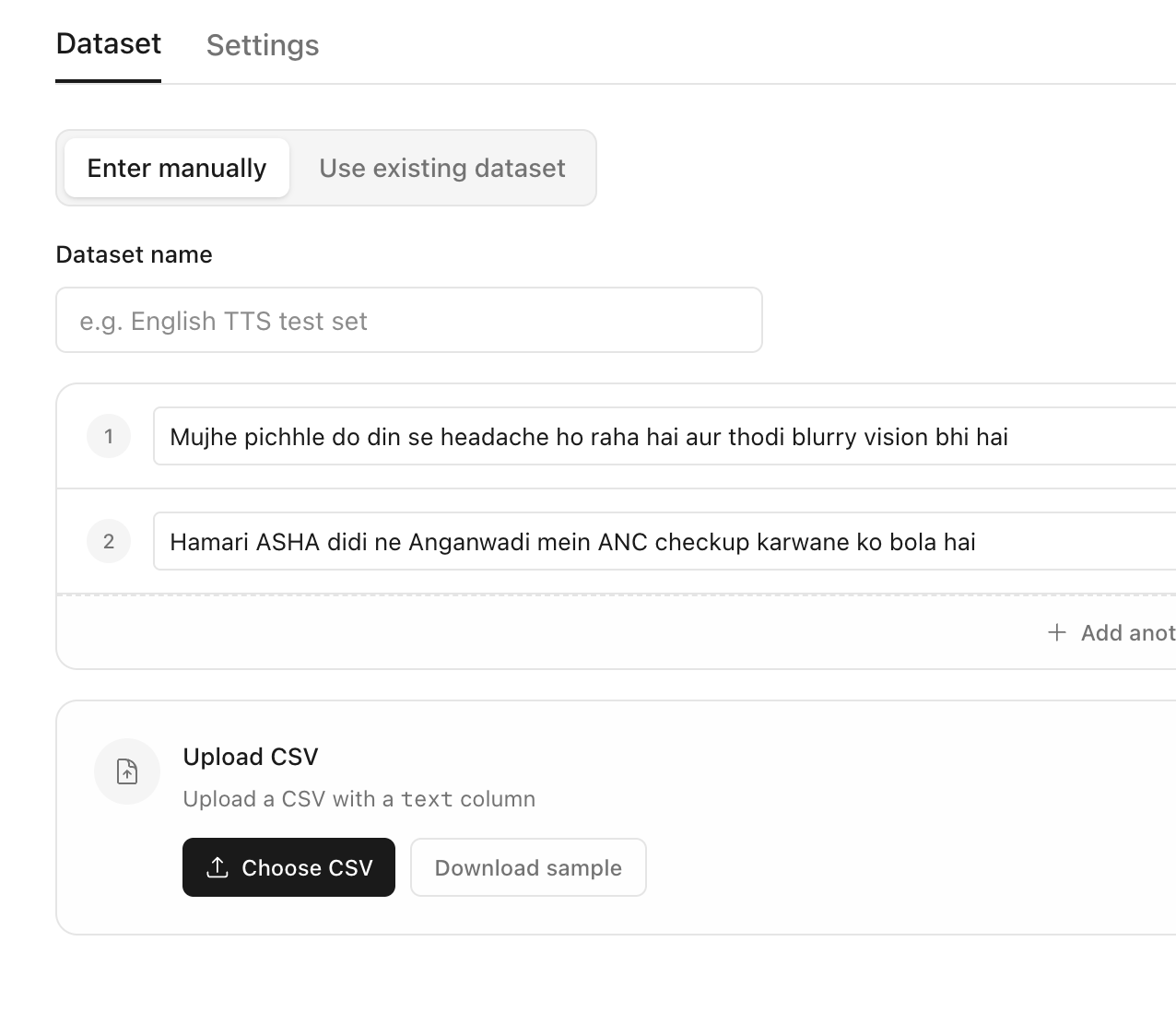
Select the models to compare for the language of your dataset and the evaluation criteria
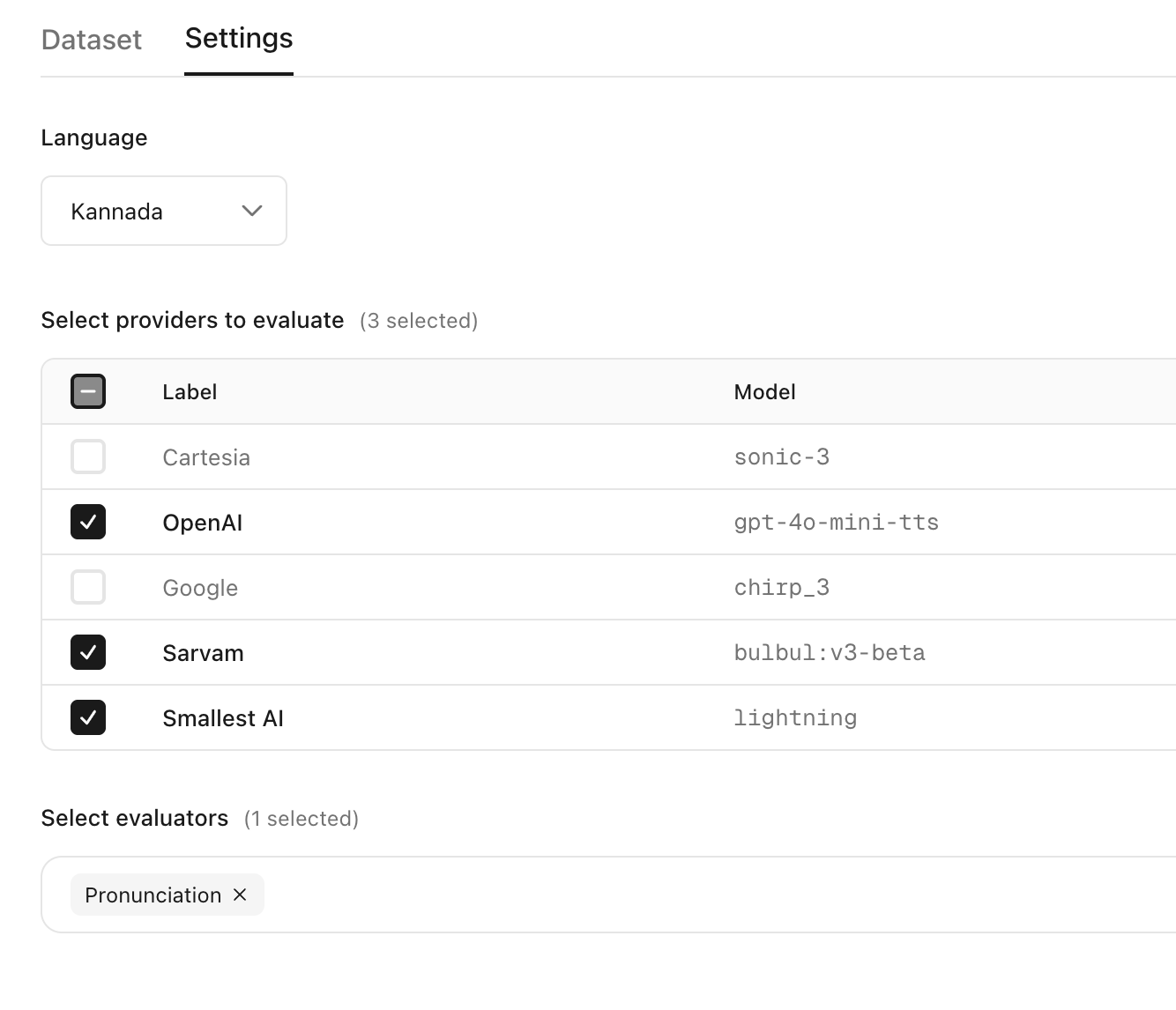
Get the leaderboard across models for every criterion
Listen to the generated audios for each model
Select the best text-to-speech model
for your agent
Calibrate uses AI models to automatically evaluate the generated audios on pronunciation, clarity, naturalness and more
Upload the reference texts to be spoken by each model
Select the models to compare for the language of your dataset and the evaluation criteria
Get the leaderboard across models for every criterion
Listen to the generated audios for each model
Simulate conversations
with your agent
Evaluating individual components is important but it does not capture how your agent performs end-to-end as it talks to a real user
Create realistic user personas that mimic your users
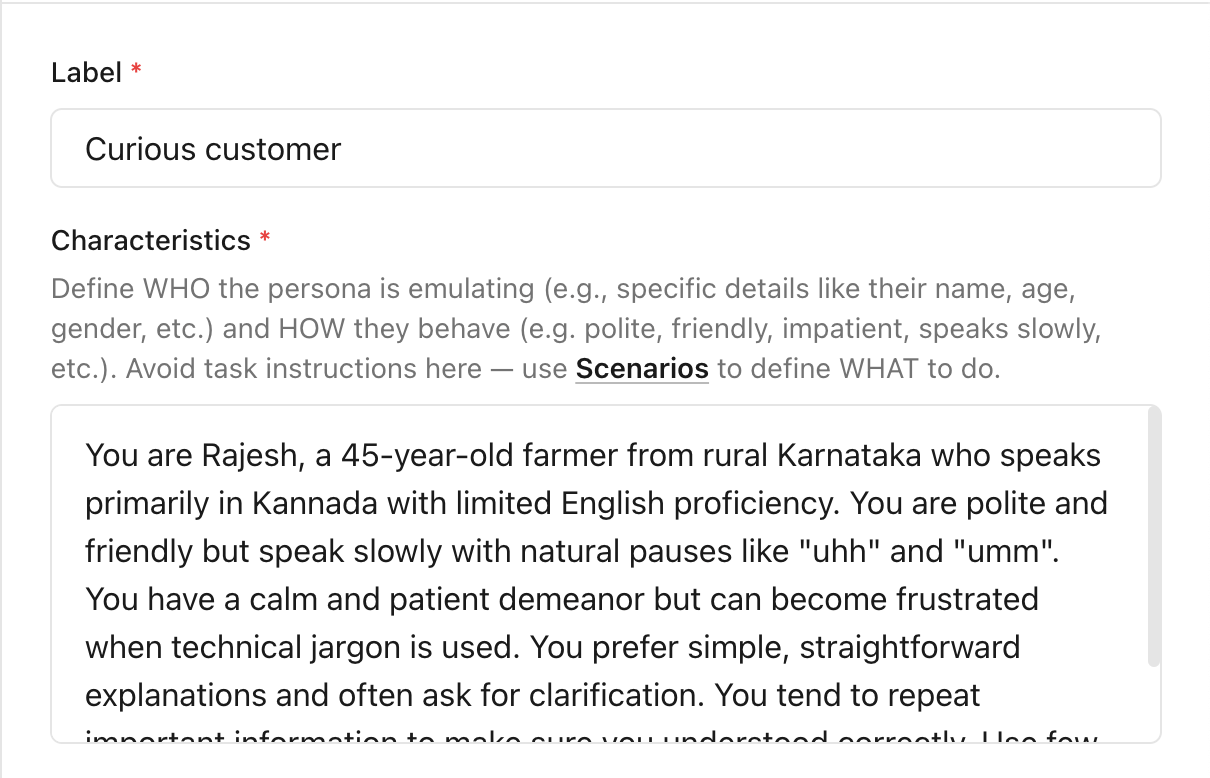
Define the purpose for which users talk to your agent
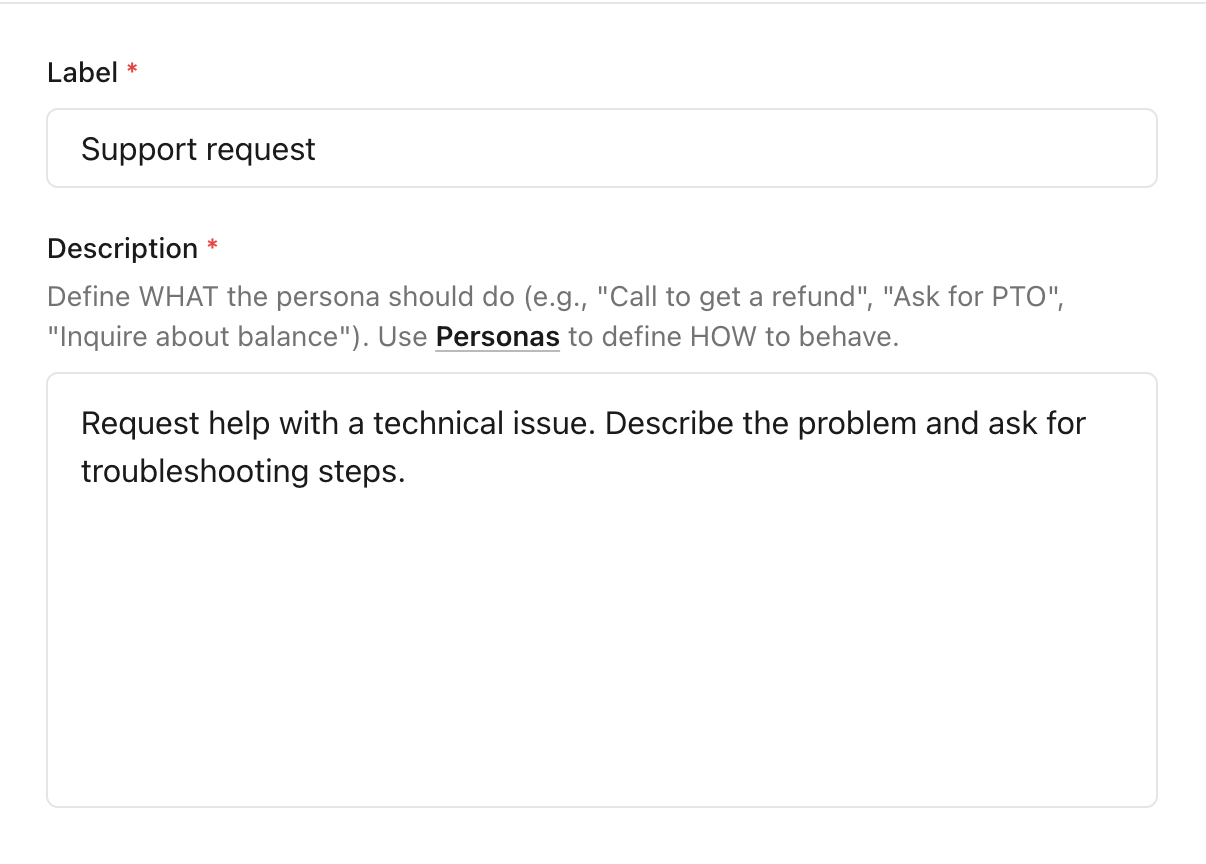
Run a simulation where simulated users adopt the personas and talk to your agent for the defined purposes
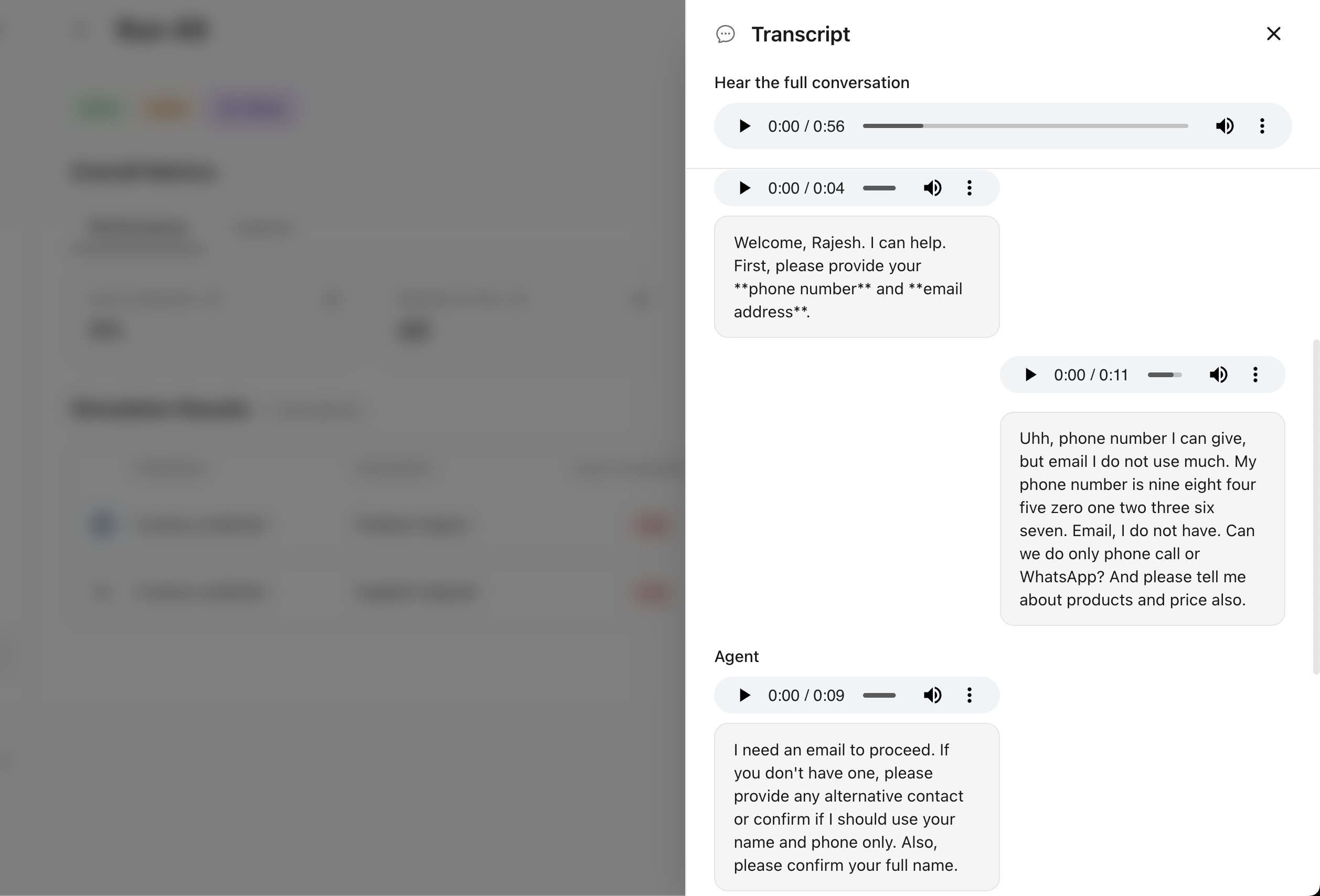
Measure agent performance using aligned LLM judges that evaluate the agent's quality in each conversation
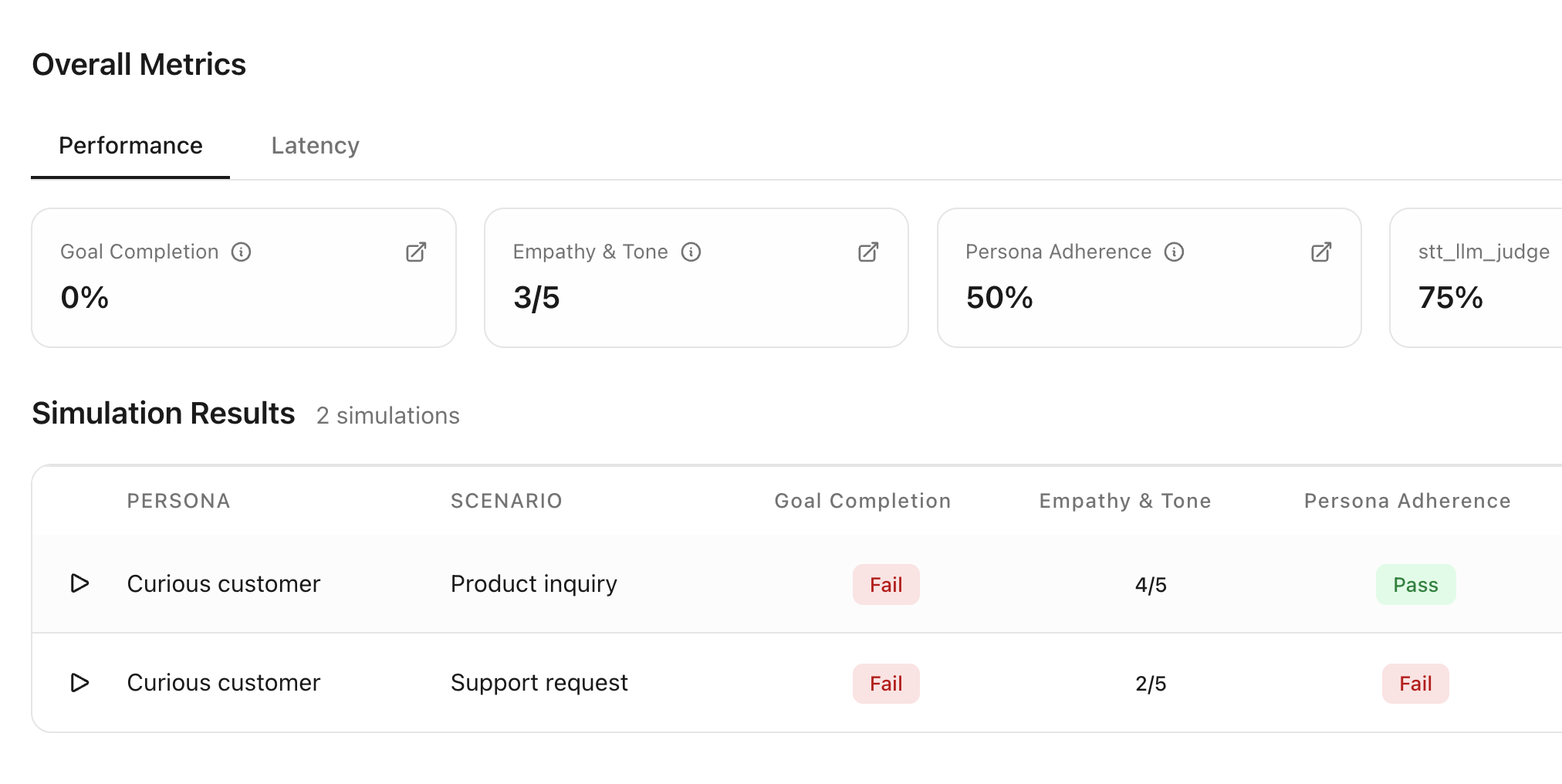
Simulate conversations
with your agent
Evaluating individual components is important but it does not capture how your agent performs end-to-end as it talks to a real user
Create realistic user personas that mimic your users
Define the purpose for which users talk to your agent
Run a simulation where simulated users adopt the personas and talk to your agent for the defined purposes
Measure agent performance using aligned LLM judges that evaluate the agent's quality in each conversation
Keep evaluating quality
after your agent goes live
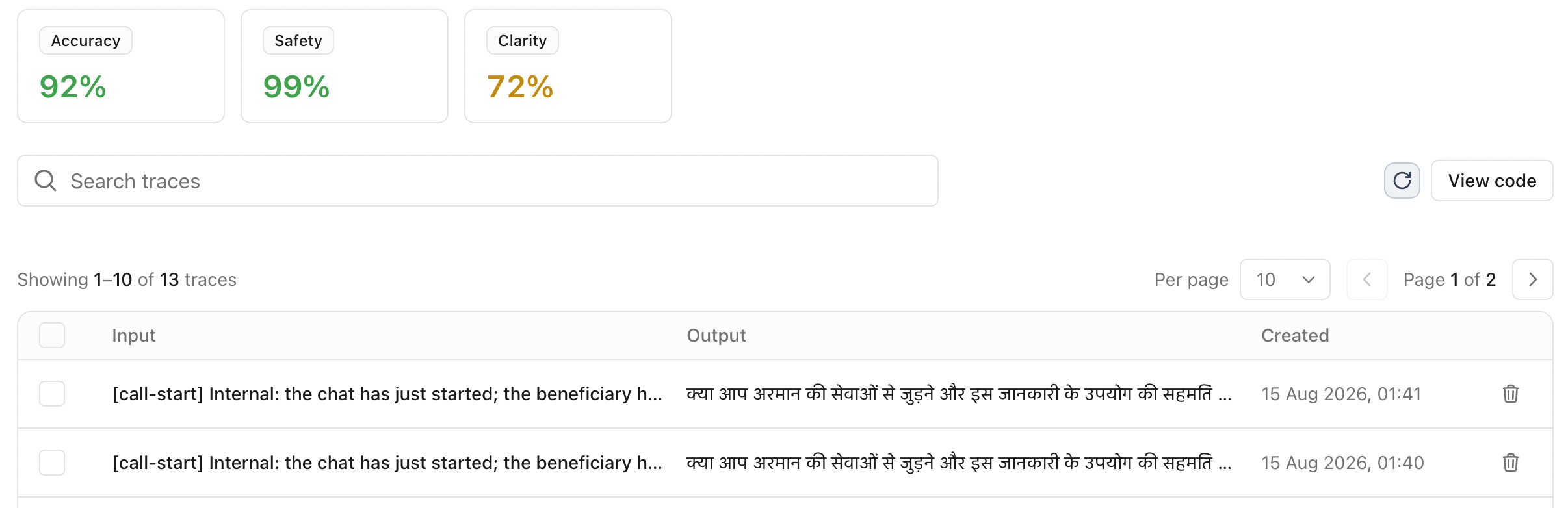
Calibrate can automatically capture your agent conversations, identify where it is failing and convert them to tests to help you continuously improve your agent
Create an API key to verify your identity
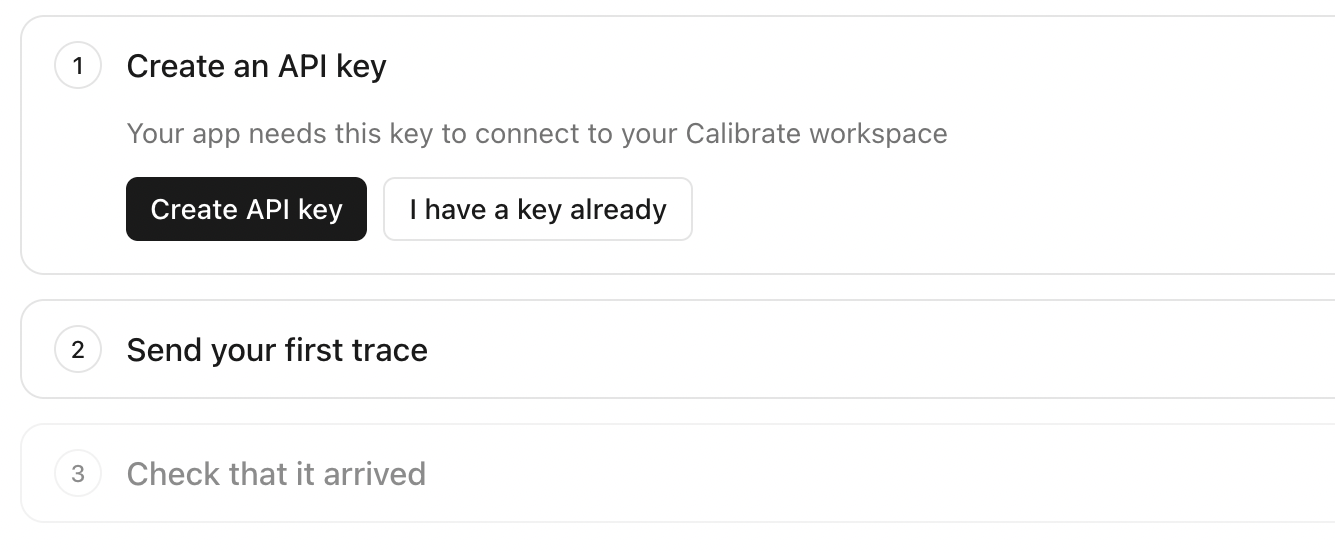
Add the code snippet to your agent so agent conversations are sent to Calibrate
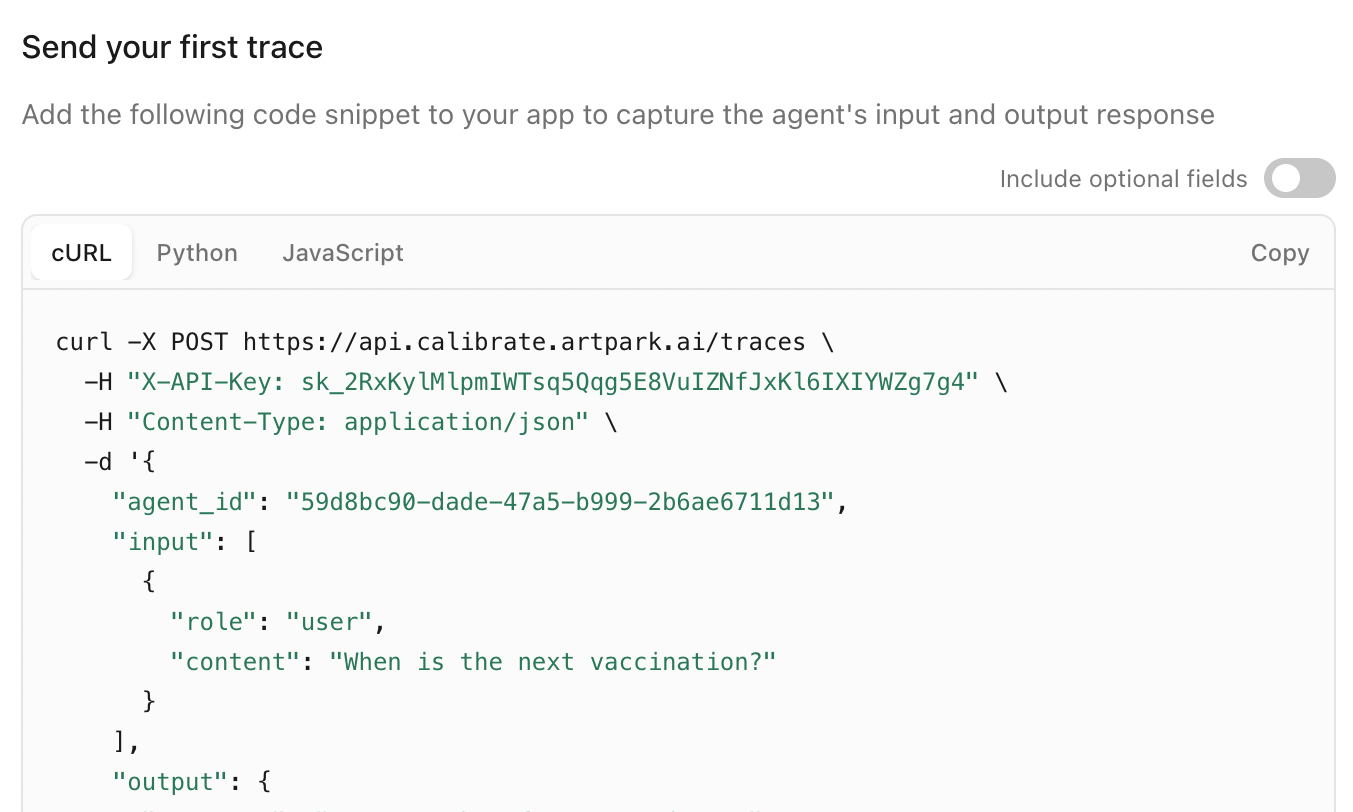
View all conversations and monitor your live agent performance
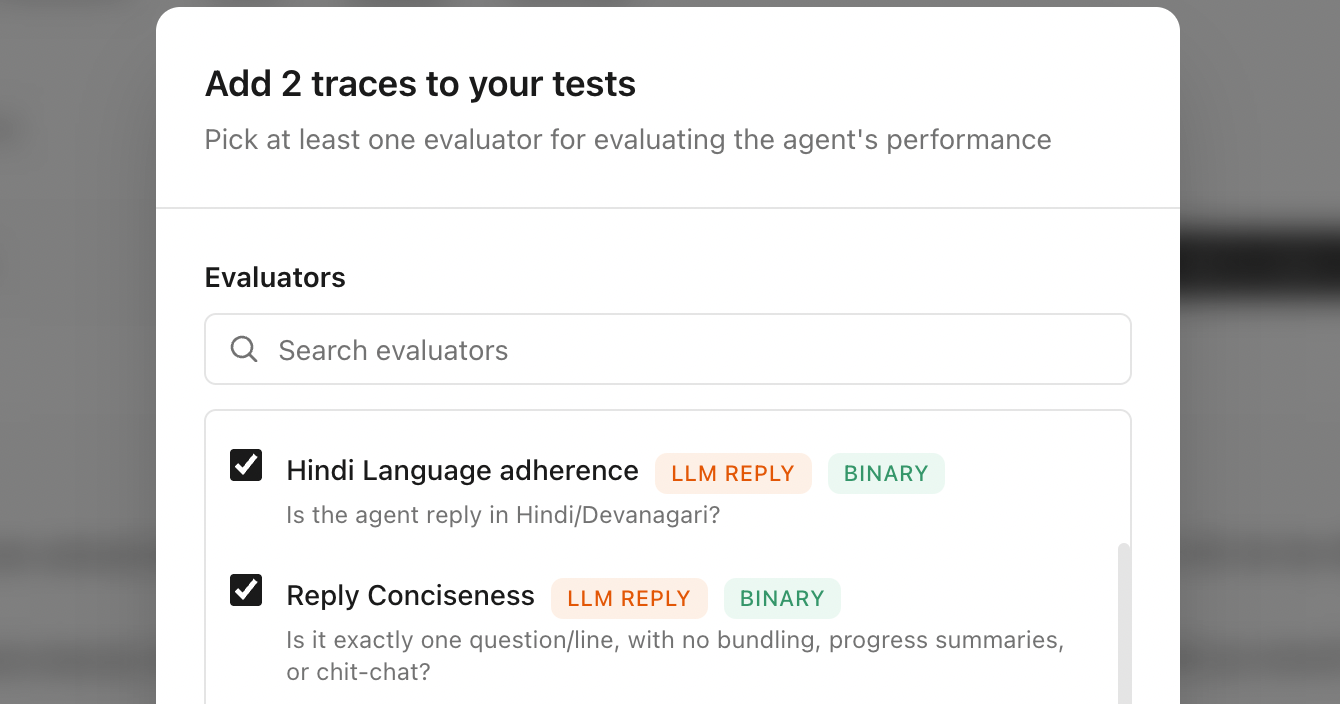
Create tests for cases where the agent made a mistake
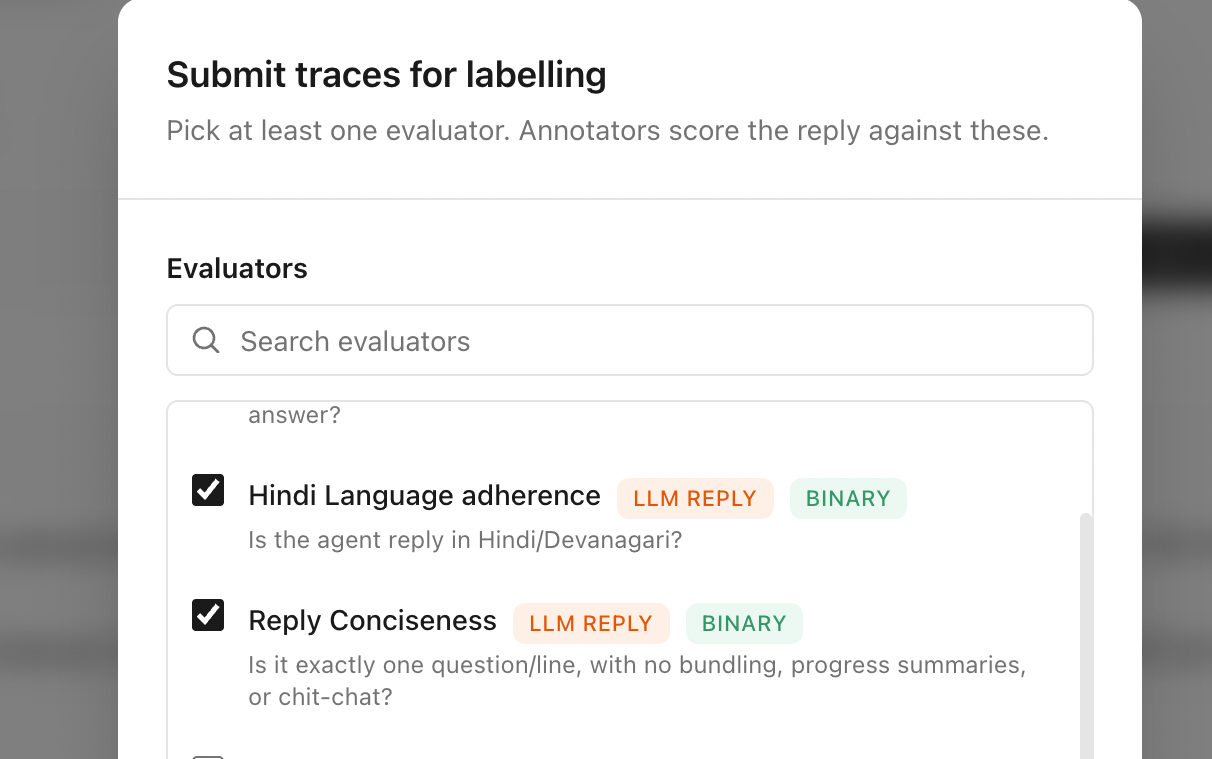
Collect human labels to ensure your automated LLM judges remain aligned
Keep evaluating quality
after your agent goes live
Calibrate can automatically capture your agent conversations, identify where it is failing and convert them to tests to help you continuously improve your agent
Create an API key to verify your identity
Add the code snippet to your agent so agent conversations are sent to Calibrate
View all conversations and monitor your live agent performance
Create tests for cases where the agent made a mistake
Collect human labels to ensure your automated LLM judges remain aligned
Use Calibrate inside your favourite AI tool
Install our Calibrate skill and your tool will create the evals for testing your agent, upload and run them on Calibrate, analyse what went wrong, and suggest fixes
Create evals just by talking about your agent
Answer a few questions about what your agent does, who it serves, and where it goes wrong today. Your answers become the evals, and they run straight away.
/onboard
- Asked what your agent does, who it talks to, and what a good answer looks like
- Connected your agent and checked its reply comes back the way Calibrate expects
- Wrote 24 test cases from the mistakes you described
- Picked an LLM judge for the cases that need one
- Ran them: 18 passed, 6 failed
Analyse the mistakes and fix your agent
Ask what went wrong and every failed test comes back grouped by what the failures have in common, with changes to your agent's instructions to try.
Which tests failed last time, and what should I change?
- Read the 6 tests that failed
- 4 of them: replied in English when the caller wrote in Hindi
- 2 of them: gave advice that should have come from a nurse
- Proposed two changes to your agent's instructions
- Ran the tests again: 23 of 24 passed
Align the LLM judge with your experts
Ask for better agreement and the judge's instructions get rewritten, checked against the human labels, and rewritten again until they line up.
My LLM judge does not agree with my experts often enough. Fix it.
- Read the 120 samples your experts labelled
- Ran the LLM judge on the same samples
- Agreement with your experts: 71%
- Rewrote the judge instructions and ran them again
- Agreement with your experts: 88%
- Rewrote the judge instructions and ran them again
- Agreement with your experts: 94%
- Made this the live judge and kept the earlier versions
What else you can ask for
Start testing an agent you already have
Does the groundwork needed to connect your agent to Calibrate
Turn a spreadsheet you already have into tests
Converts your existing dataset, or even a public dataset, into tests inside Calibrate
Find the best model for your agent
Run your evals using different models and get a leaderboard across quality, cost and speed
Collect labels from your experts
Create a labelling task, pick the LLM judges to align, add the samples experts will review, and update them as human labels come in
npx skills add dalmia/calibrate-skills --agent claude-code -gProudly open source
What we open-source is what we use ourselves. Nothing hidden behind a paywall.
Self-hosting
We can help you run Calibrate on your infrastructure to ensure sensitive data stays in environments you control
No per-seat pricing. Ever.
No per-user fees. Add staff, partners, and consultants as your team grows
Auditable, end to end
The full codebase is on GitHub for pre-deploy review and real diligence
No vendor lock-in
Fork, adapt, and make changes as you wish
Works with any AI agent stack
Supports all major models with more coming soon
Supports integrations including Deepgram, ElevenLabs, OpenAI, Google, Cartesia, Anthropic, Groq, DeepSeek, Smallest AI, Claude, Gemini, Qwen, Meta, Mistral, Cohere, Sarvam, AI21, Baidu, NVIDIA, Amazon.














Join the community
Talk to the team building Calibrate to get your questions answered and shape our roadmap
Team
Combined experience of 25+ years building AI systems


Start Calibrating today
Become a team that ships trustworthy AI agents beyond vibe checks