

Set up your agent
There are two ways to run simulations:Calibrate agent
Define your agent completely within Calibrate
Agent connection
Connect your existing text or voice agent
Personas
An array of user personas that simulate different types of users interacting with your agent. For a primer on personas, refer to Personas. Each persona has:Scenarios
An array of scenarios that define different conversation patterns to test. For a primer on scenarios, refer to Scenarios. Each scenario has:Evaluators
An array of LLM judges used to evaluate the agent’s performance. Each evaluator becomes its own LLM call per simulation — all evaluators run in parallel against the entire conversation transcript.You must define every evaluator yourself, including all of the context that the judge needs in its
system_prompt.You can also set the judge_model on an evaluator to use a different model. The default judge model is openai/gpt-5.4-mini.evaluators array next to system_prompt, personas, scenarios, and your other top-level keys in your simulation config JSON.
Binary evaluators produce pass/fail and appear as pass-rate percentages in the leaderboard. Rating evaluators produce an integer score on the scale you define and appear as mean scores in the leaderboard.
Settings
Optional settings to control the simulation:STT, LLM, and TTS (voice simulations only)
For voice simulations, specify the STT, LLM, and TTS providers:Full examples
Calibrate agent example
Calibrate agent example
See the full text simulation file on GitHub and the full voice simulation file on GitHub. The snippet below matches the text setup; voice runs add
stt, tts, and llm (with model) and may set interruption_sensitivity on personas — see the voice sample for those keys.Agent connection (Chat agent) example
Agent connection (Chat agent) example
Agent connection (Outbound voice agent) example
Agent connection (Outbound voice agent) example
See the full file on GitHub.Refer to Agent Connections → Outbound voice agent for the full reference.
Get started
Interactive mode
Runcalibrate-agent simulations with no arguments to launch the interactive UI:
- Simulation type — select “Text”
- Config file — path to your config file
- Provider — OpenRouter or OpenAI
- Model — the model used for both the agent and user simulator
- Parallel count — how many simulations to run simultaneously (default:
1) - Output directory — where results will be saved (defaults to
./out) - API keys — enter the API keys for the selected provider
- Simulation type — select “Voice”
- Config file — path to your config file (with
stt,tts, andllmset) - Parallel count — how many simulations to run simultaneously (default:
1) - Output directory — where results will be saved (defaults to
./out) - API keys — enter the API keys for the selected providers
- Simulation type — select
TextorVoice - Config file — path to your config file
- Parallel count — how many simulations to run simultaneously (default:
1) - Output directory — where results will be saved (defaults to
./out) - API keys — only
OPENAI_API_KEYis required (used by the user simulator and LLM judge)
Non-interactive mode
Pass--type text or --type voice and a config file directly to skip the UI.
Calibrate agent (text):
-n:
You can also set the default parallelism with the
CALIBRATE_SIMULATION_PARALLEL environment variable (defaults to 1). The
-n/--parallel flag takes precedence over it when provided.--skip-verify to skip this step — useful in CI/automation pipelines where you’ve already confirmed the agent is reachable:
Output
Once all simulated conversations complete, it displays the overall metrics aggregated across all simulations along with bar charts for visualization.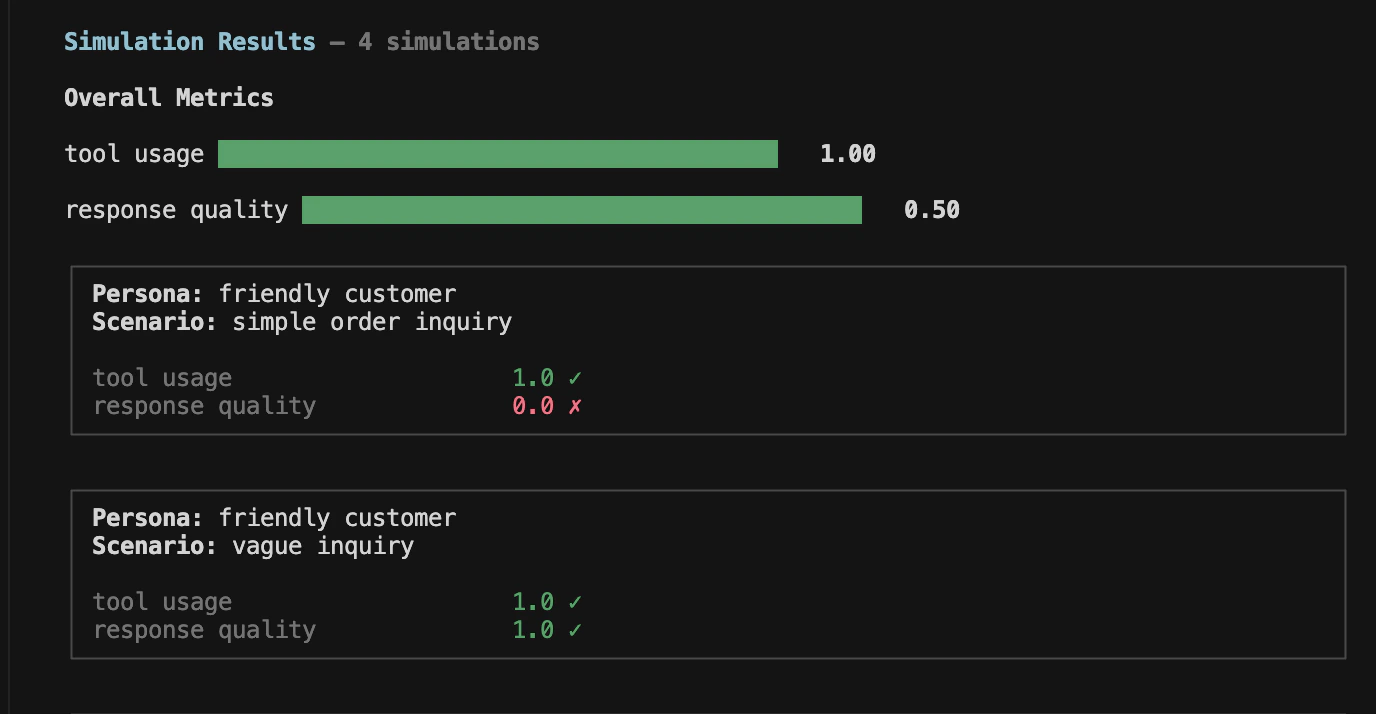
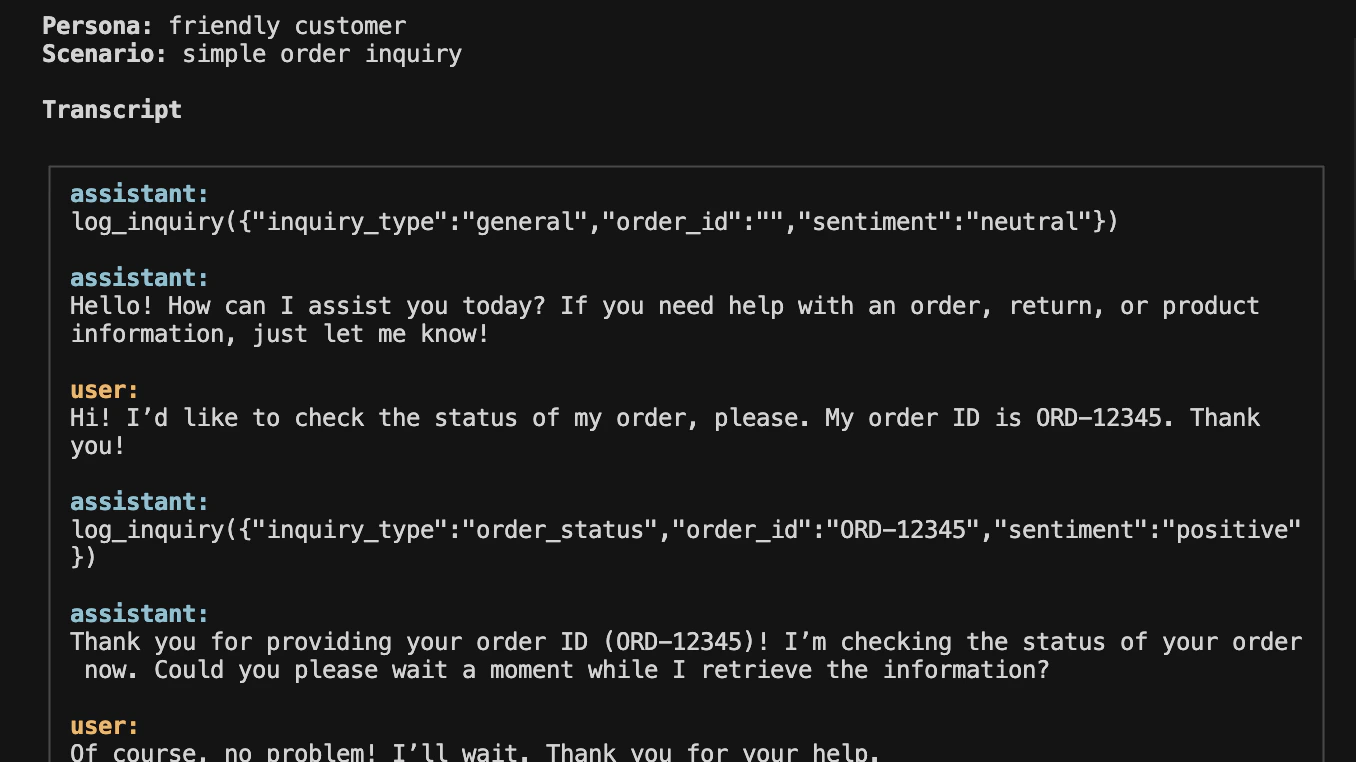
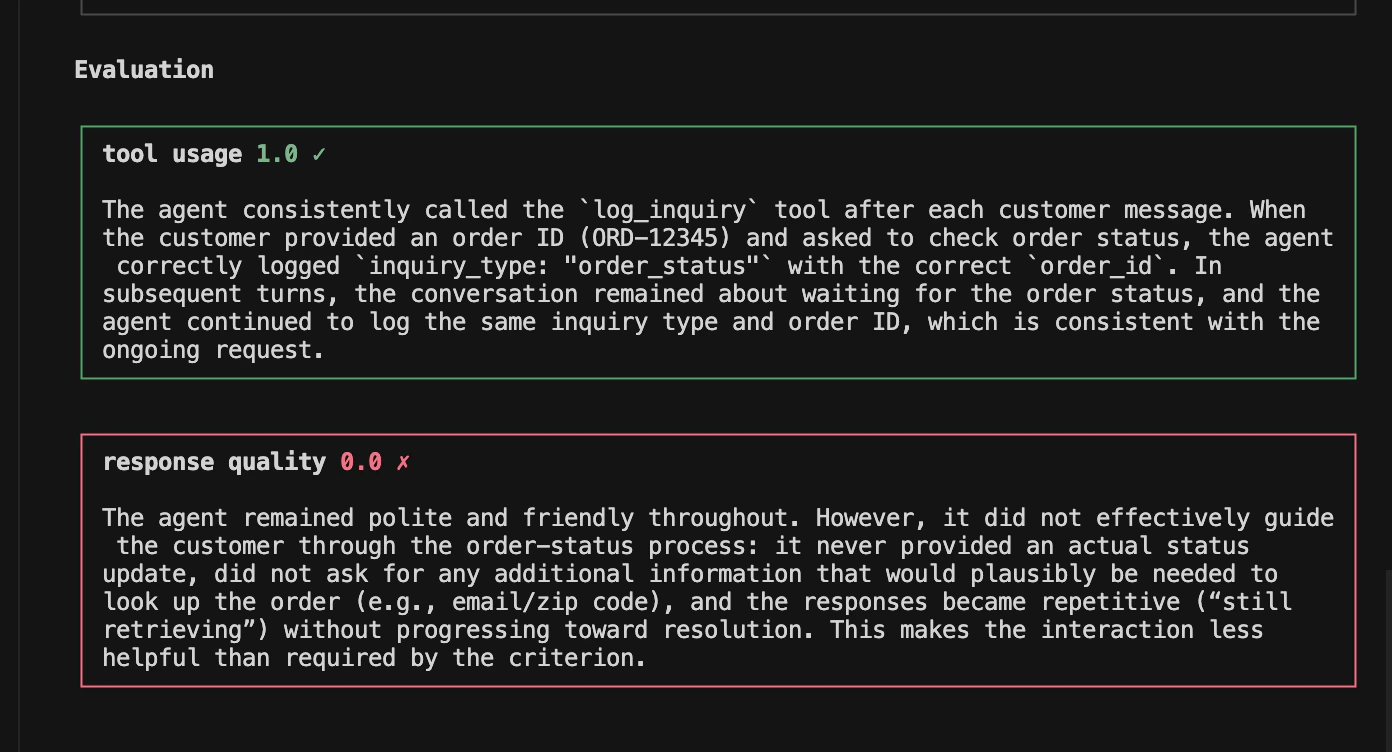
Resources
Personas
Learn how to create realistic user personas
Scenarios
Learn how to write effective scenarios