

- Webhook tools — Call external APIs or services to perform actions
- Structured output tools — Extract information from conversations in a defined format
Navigate to tools
From the sidebar, click Tools to view and manage your tools.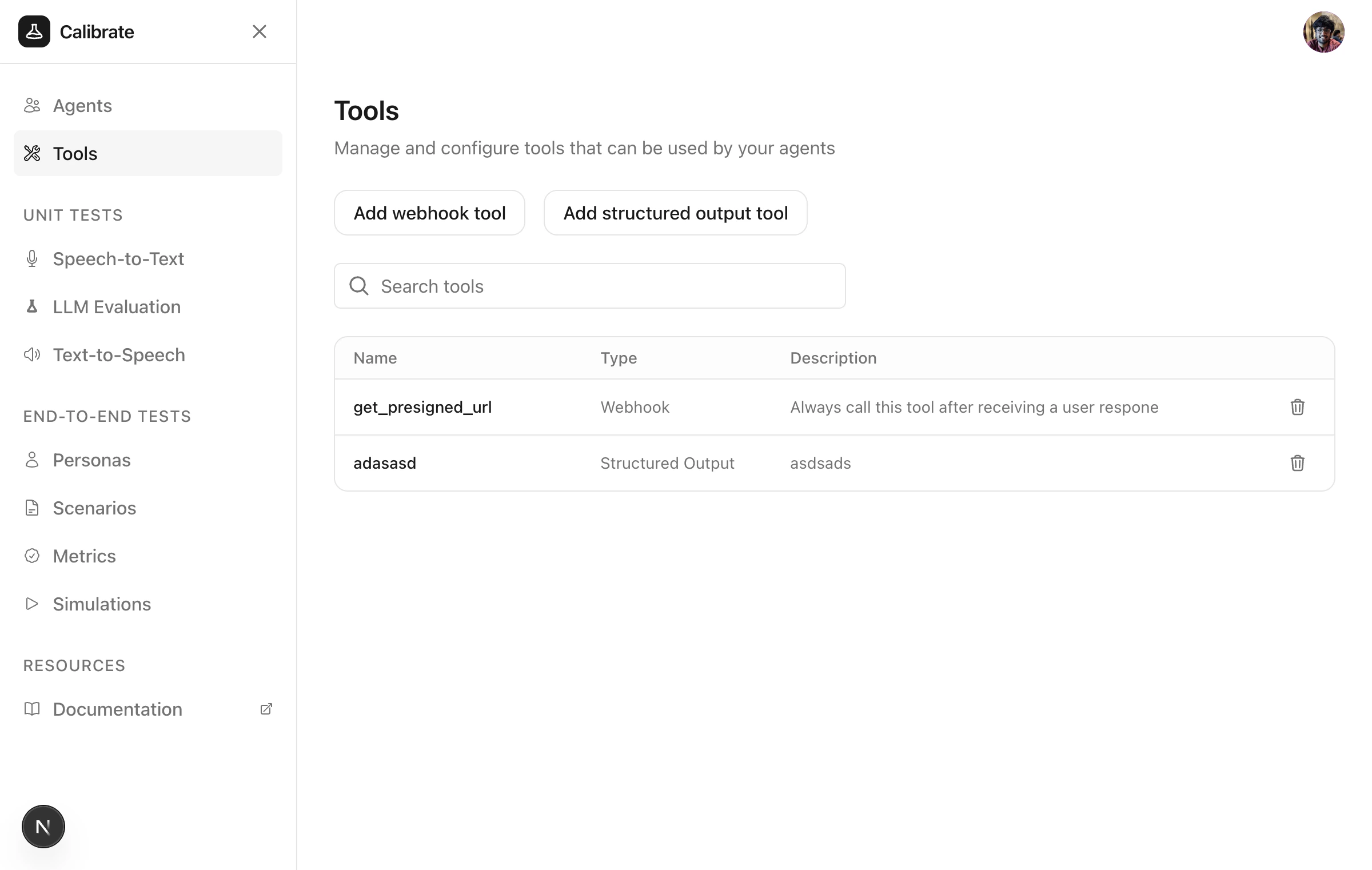
Webhook tools
Webhook tools allow agents to call external APIs or services to perform actions like sending notifications or querying databases.Create a webhook tool
Click Add webhook tool to open the configuration panel.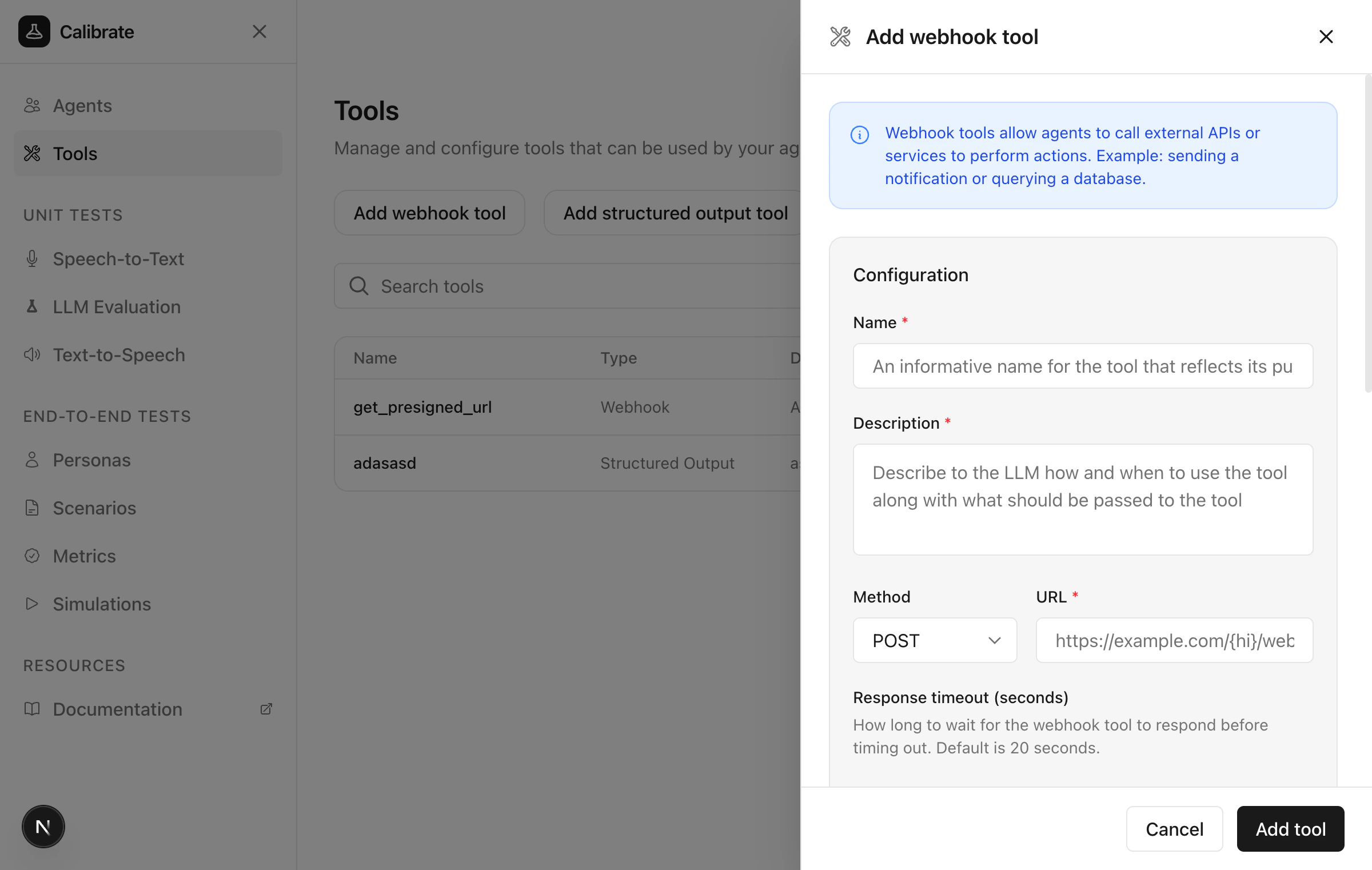
Configure the tool
Provide the following details: Name and Description Add a descriptive name and explain when the agent should call this tool. Request Configuration- Method — Select HTTP method (GET, POST, PUT, PATCH, DELETE)
- URL — The webhook endpoint URL
- Response timeout — How long to wait before timing out (default: 20 seconds)
Structured output tools
Structured output tools enable agents to extract information from conversations in a defined format, such as user names or order details.Create a structured output tool
Click Add structured output tool to open the configuration panel.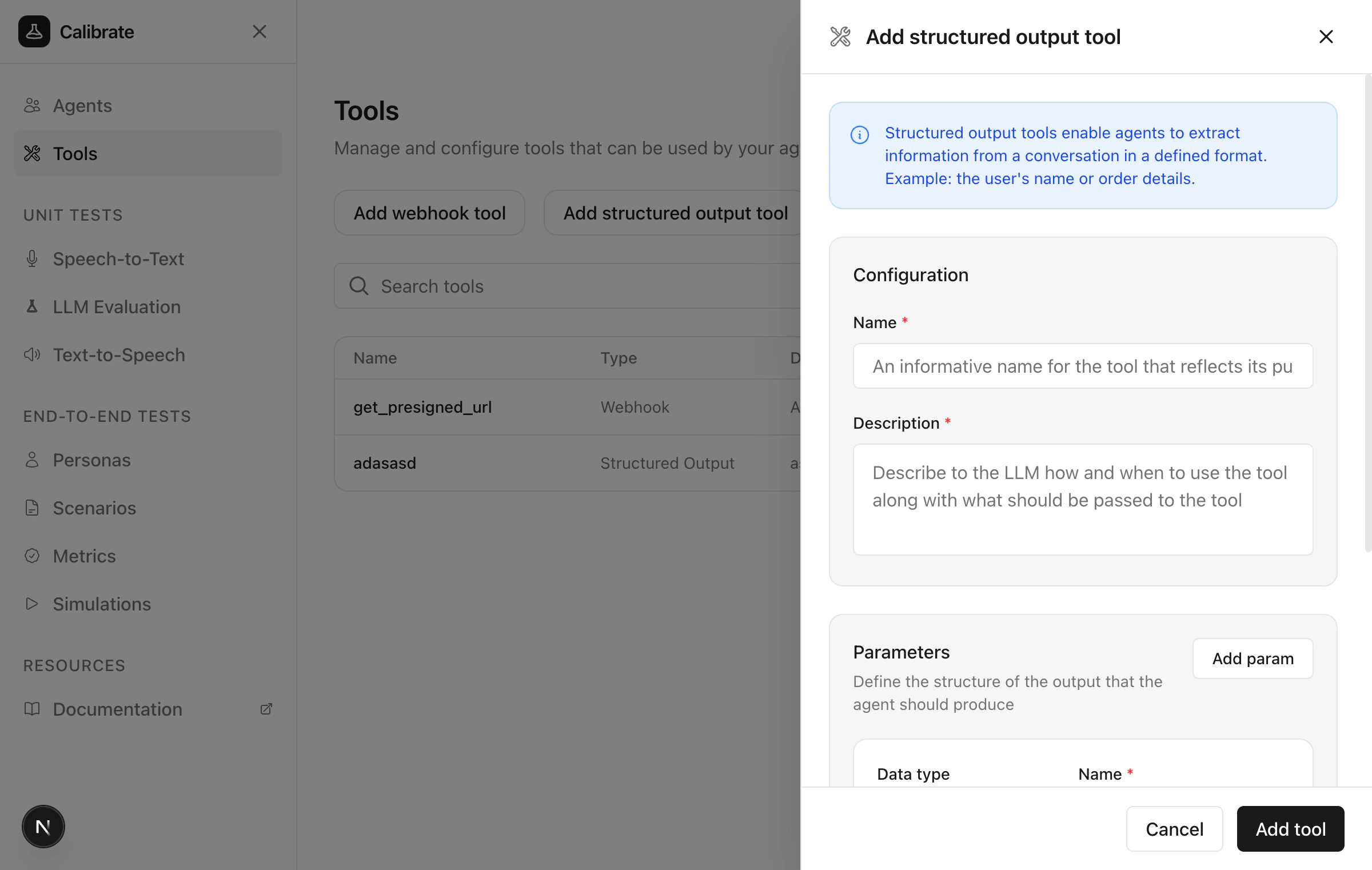
Configure the tool
Provide the following details: Name and Description Add a descriptive name and explain when the agent should call this tool. Parameters Define the structure of data the agent should extract.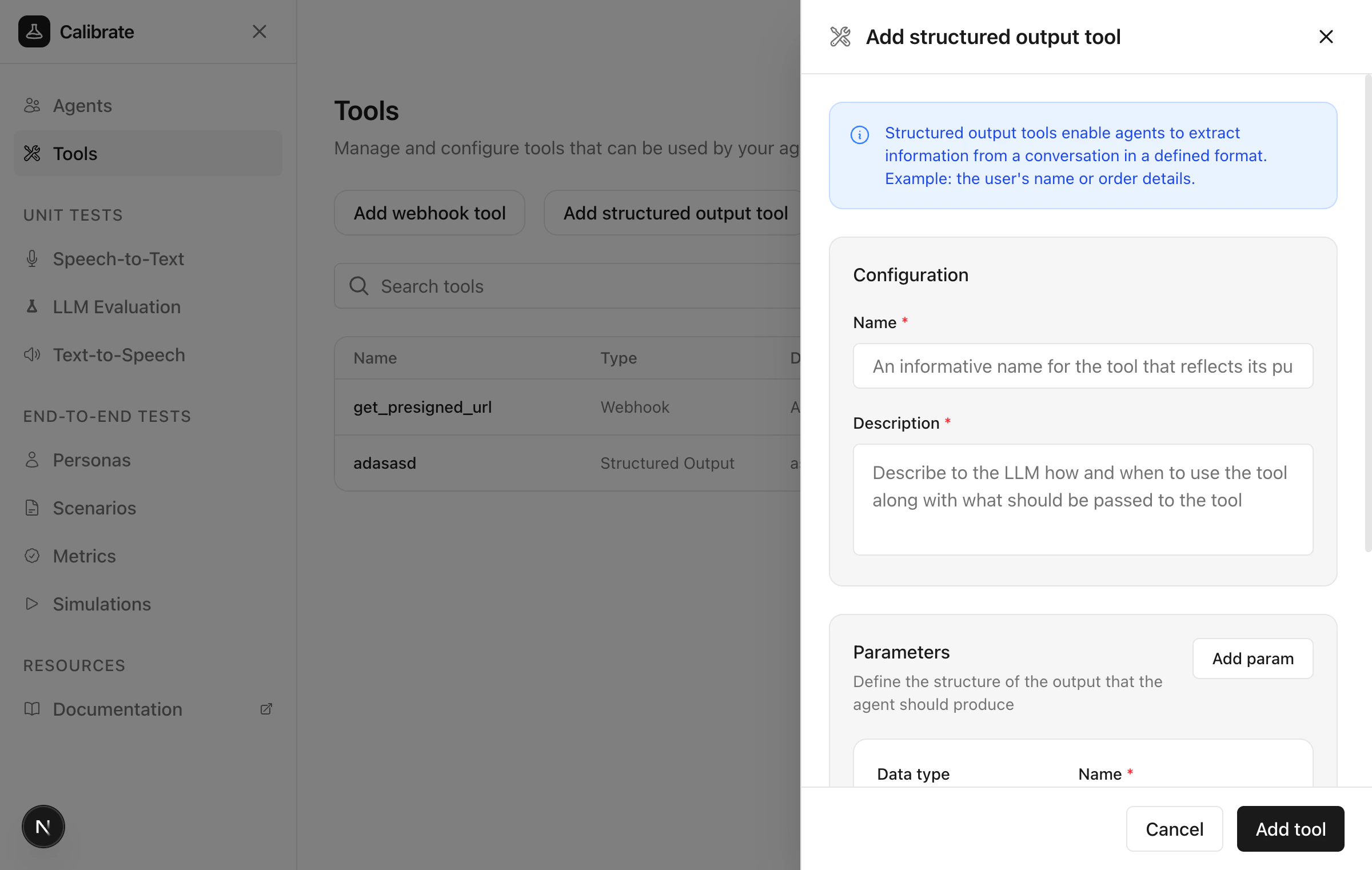
- Data type — Boolean, Integer, Number, String, Object, or Array
- Name — The parameter identifier
- Required — Whether this field is mandatory
- Description — Detailed guidance for the LLM on what this parameter represents
Inbuilt tools
Some tools are built into the platform and enabled by default:Next steps
Configure Agents
Learn how to create and configure agents
Run Tests
Test tool invocations with your agent